
 Share
Share
 Print
Print
|
|
|
|
|


Managing an Item's Defects
All Defect Reports that are associated with a recurrent item are displayed on the Recurrent Items, General tab:
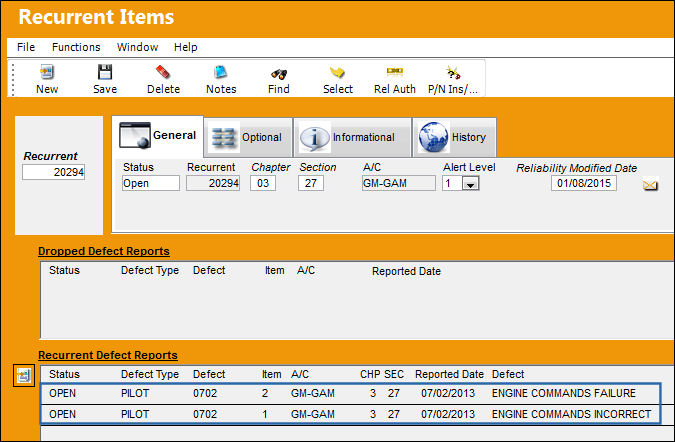
Those defects can be moved to the Dropped Defect Report area, and thus be reported as not associated with the recurrent item. That way, recurrent items can easily be managed, and only relevant defects will be associated with the recurrent item.
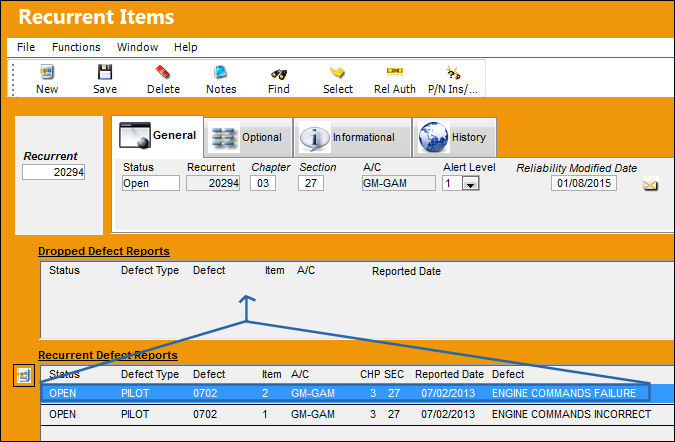
In order to move a defect, simply drag-and-drop it into the Dropped Defect Reports screen:
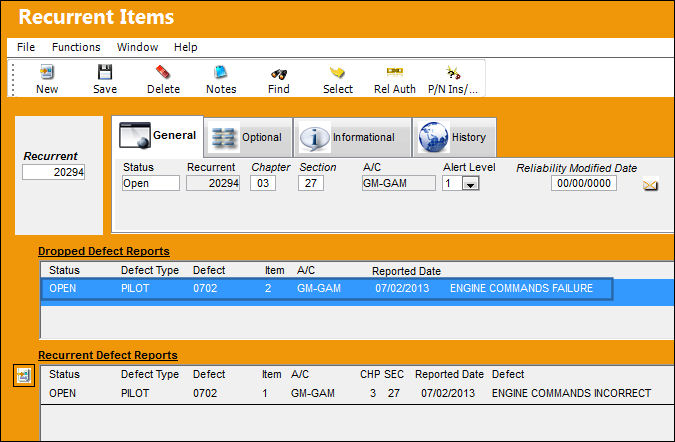
Defects removed from the Recurrent Item are then listed in the Dropped Defect Reports section.
Share
Print
|
©1997-2026 Trax USA Corp. All rights reserved. This manual may not be copied, photocopied, reproduced, translated, or converted to any electronic or machine-readable form, in whole or in part, without prior written approval from Trax USA Corp. |
 |