 Download Online Help
 Print
|
|
|
|
|


Exchange Order Out Supervisor
The Exchange Order Out Supervisor window has all of the same functionality as the Exchange Order Out window, in which the user can create exchange orders when exchanging components with a customer. The main difference being that the supervisor window will display all X/Os, regardless of the User ID that created the order. This window is used for supervisors and managers to review the X/Os before they are sent for authorization.
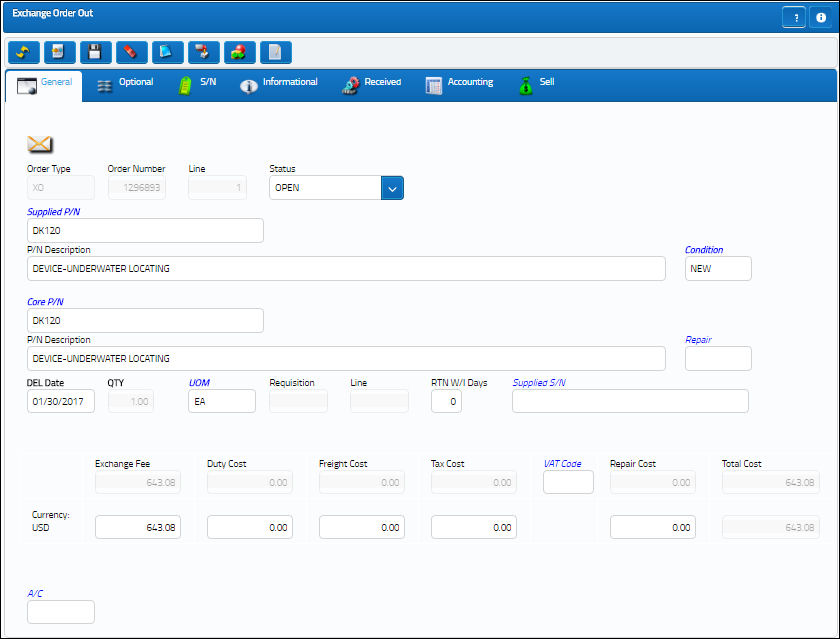
 This window is security controlled via Security Explorer/ Customer Orders/ Update/ Exchange Order Out Supervisor. For additional information, refer to the Security Explorer via the System Administration Training Manual.
For information on the tabs and fields in this window, refer to the Exchange Order Out section of the Customer Orders Training Manual.
 Download Online Help
Print
|
©1997-2018 Trax USA Corp. All rights reserved. This manual may not be copied, photocopied, reproduced, translated, or converted to any electronic or machine-readable form, in whole or in part, without prior written approval from Trax USA Corp. |
 |