 Download Online Help
 Print
|
|
|
|
|


The Reset Status for All Effective Items  button allows the user to cascade the status of the E/C to a selection of the E/Cs effective items (A/C, P/N S/N). Multiple items can be selected and saved for their status to be reset at the same time.
Select the Reset Status for All Effective Items button and the following questionnaire window appears:
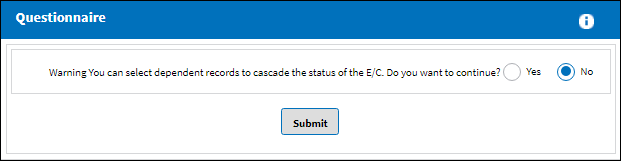
Select 'No' to cascade the E/C status to all dependent records. Select 'Yes' and a Multi A/C P/N S/N window will appear, select the effective item(s) to have their status cascaded from the E/C:
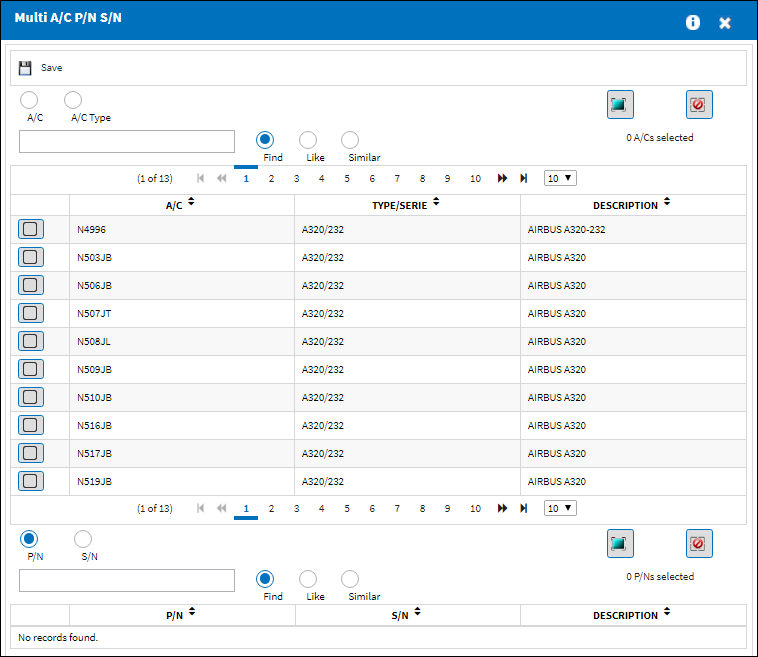
Select the Save  button to complete the cascade of the status from the E/C to the selected item(s).
Download Online Help
Print
|
©1997-2018 Trax USA Corp. All rights reserved. This manual may not be copied, photocopied, reproduced, translated, or converted to any electronic or machine-readable form, in whole or in part, without prior written approval from Trax USA Corp. |
 |