 Download Online Help
 Print
|
|
|
|
|


From the Task Card Item window, select the TraxDoc Item Reference  button.
The TraxDoc Item References window allows users to reference the selected Item to a TraxDoc SGML. Choose the desired Task Card Item. Select the Preview  button.
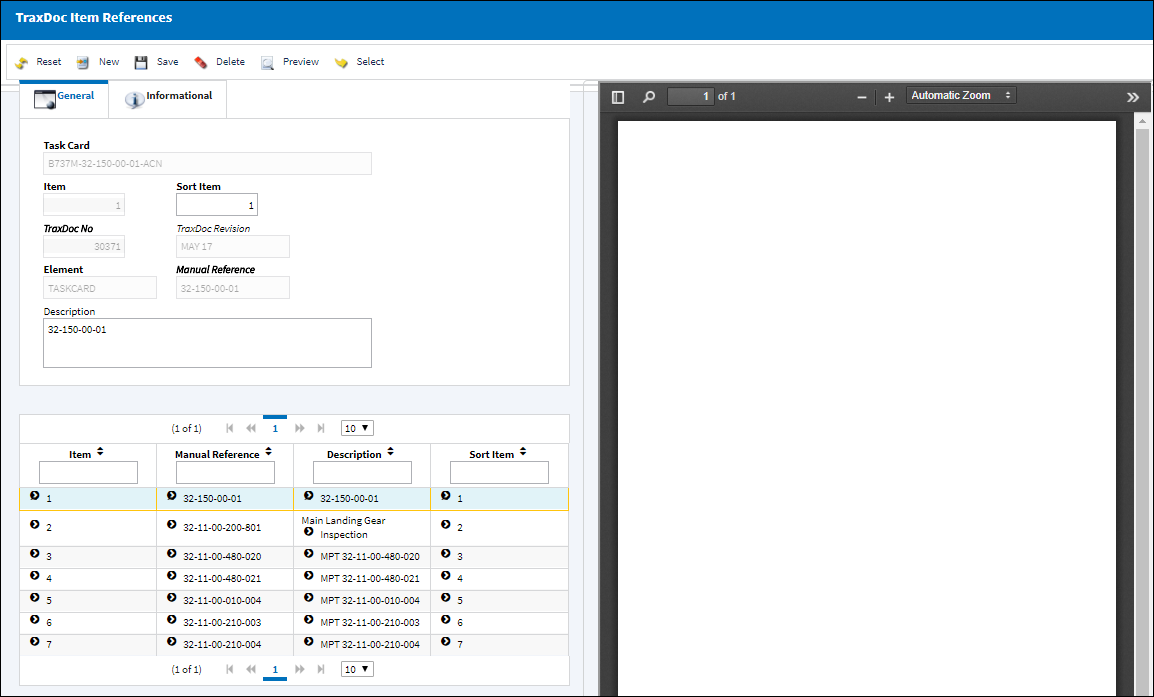
The TraxDoc PDF is displayed in the right half of the window:
For information regarding adding a record, refer to the New button, via TraxDoc Item Reference. To view the creation and modification information relevant to the record, refer to the TraxDoc Item References, Informational Tab.
Download Online Help
Print
|
©1997-2018 Trax USA Corp. All rights reserved. This manual may not be copied, photocopied, reproduced, translated, or converted to any electronic or machine-readable form, in whole or in part, without prior written approval from Trax USA Corp. |
 |