 Download Online Help
 Print
|
|
|
|
|


Task Card Control Master, General Tab
The user can query for existing Panels and Zones using the Code field at the upper portion of the window along with the Find  button, or the user can create new panels or zones.
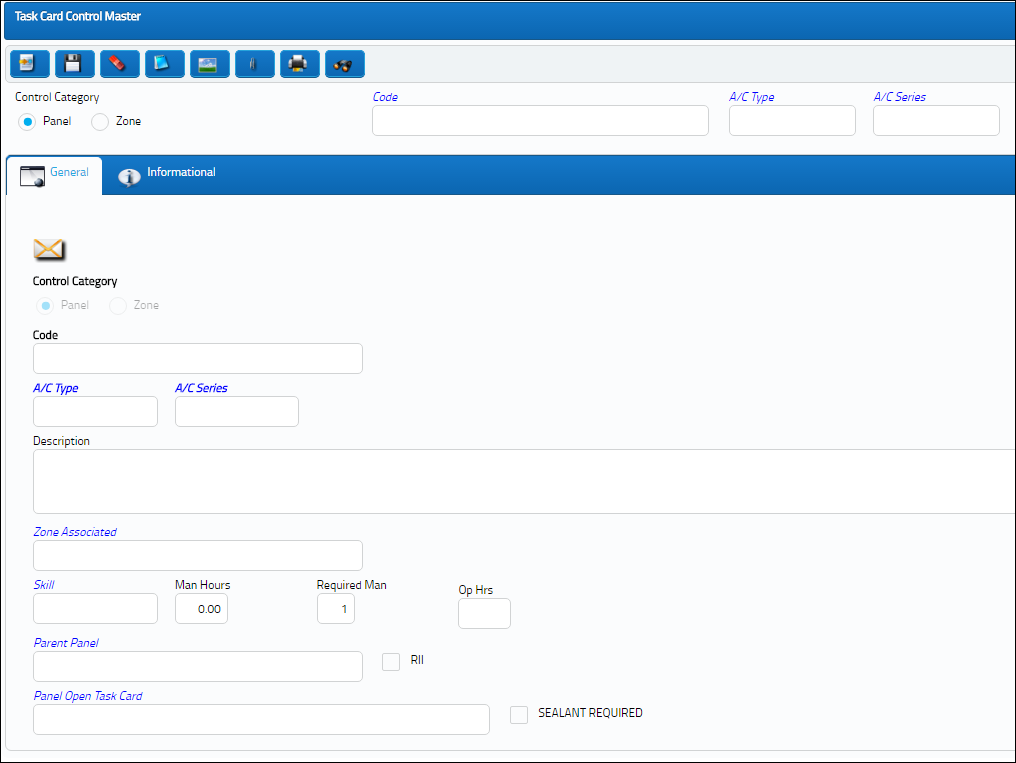
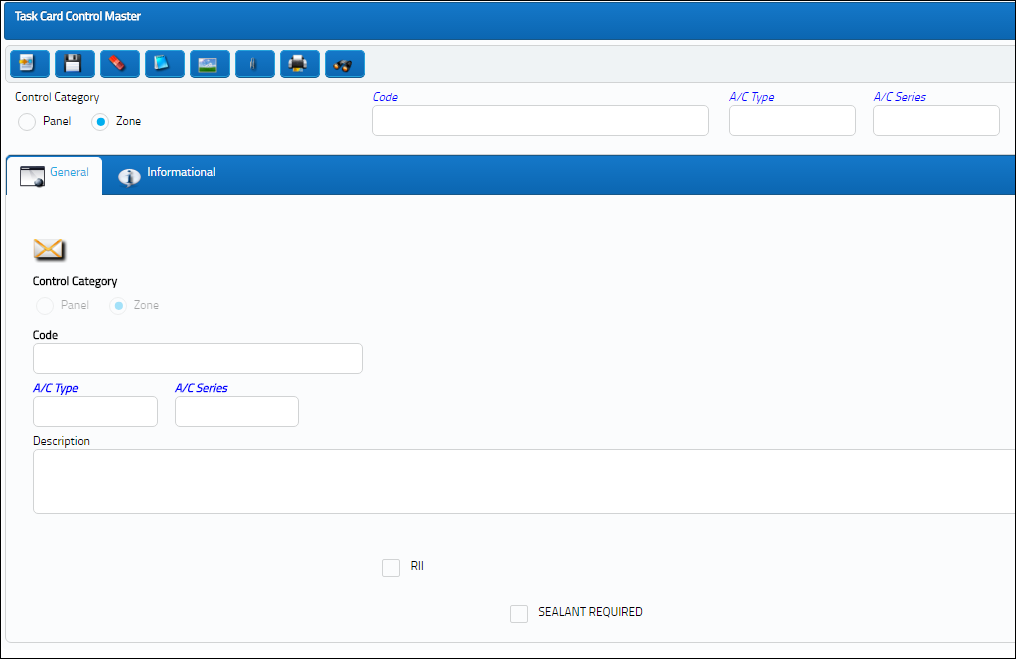
Choose to create a Panel or Zone by clicking on either radio button.
The following options/information is available in this window:
_________________________________________________________________________
Control Category
Select the radio button for the type of control (Panel or Zone) to be created.
Code
Enter a valid code to represent the Panel or Zone.
Type/Series
The aircraft Type and Series / Fleet assignment.
Description
The Panel description information.
OR
The Zone description for the Task Card.
Zone Associated
Select an associated Zone, as defined in the system.
Skill
Select the required skill related to working on the Task Card with this zone or panel.
Man Hours
The labor hours (per person) required for this item.
Required Man
The number of personnel required for this item.
Op Hrs
Operation Hours.
Parent Panel
The panel that comes before this panel, e.g. you have to open the parent panel before the child panel can be opened.
Panel Open Task Card
The Task Card that is used to open the parent panel.
Note: After the Panel is linked to a Task Card through the Panel  button, via Task Card, the Panel Open Task Card is automatically added to a Work Order when its associated Task Card is added to the Work Order, as long as both have the proper Effectivity.
RII checkbox
Required Inspection Item. Select this checkbox if the item requires inspection. This is informational only.
Sealant Required checkbox
Check if sealant is required. This is informational only.
_________________________________________________________________________
Enter the information as required. The same Panel/Zone code can be entered for different aircraft type/series.
Zones and Panels can be validated when they are entered on Task Cards if Switch  TC/CTL is set to Yes. See the Task Card section of the Engineering chapter of this course for additional information regarding entering Task Cards.
Download Online Help
Print
|
©1997-2018 Trax USA Corp. All rights reserved. This manual may not be copied, photocopied, reproduced, translated, or converted to any electronic or machine-readable form, in whole or in part, without prior written approval from Trax USA Corp. |
 |