 Download Online Help
 Print
|
|
|
|
|


Task Card Selection, Other Tab
The Task Card Selection window allows users to search for specific existing Task Cards through various criteria. Users can then edit the Task Card information by selecting into the T/C by clicking the Select  button.
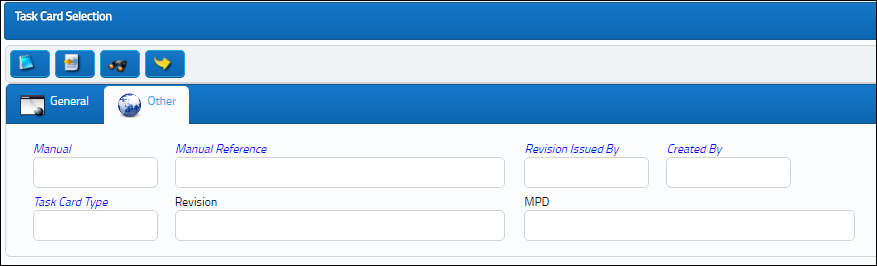
The following options/information is available in this window:
_________________________________________________________________________
Manual
Related Manual reference to be utilized for the record.
Manual Reference
A reference to a specific section of the SGML manual that was imported through the TraxDoc. Select into the Manual Reference field for the References Search.
Revision Issued By
The user who issued the revision.
Created By
The user who created the record.
Task Card Type
The Task Card Type, as defined in the Transaction Code. This code can be used to sort and locate Task Cards.
Revision
The Task Card's most recent Authorized revision number.
MPD
The Maintenance Planning Document reference for this Task Card.
_________________________________________________________________________
Download Online Help
Print
|
©1997-2018 Trax USA Corp. All rights reserved. This manual may not be copied, photocopied, reproduced, translated, or converted to any electronic or machine-readable form, in whole or in part, without prior written approval from Trax USA Corp. |
 |