 Download Online Help
 Print
|
|
|
|
|


Inventory Query
The Inventory Query option allows users to query by the following fields. For best results enter as much information to achieve specific results.
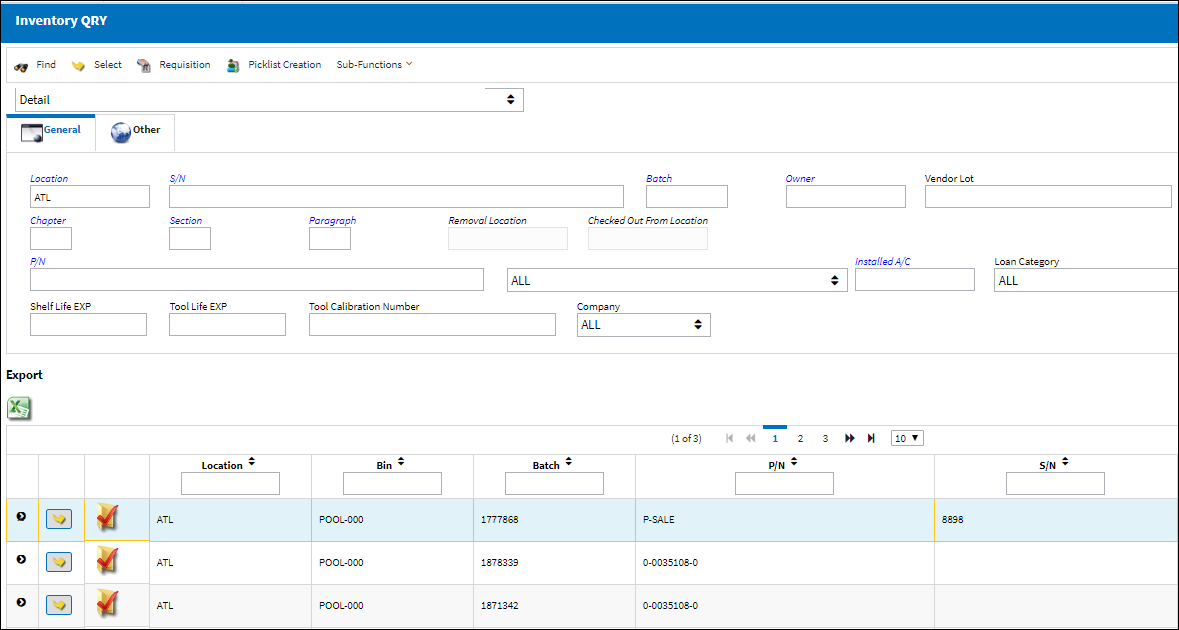
The following tabs and buttons are available:
Inventory Query Tabs |
Inventory Query Buttons |
|
|
Sub-Functions
|
 Find button
 Select button


 Manual button

Upon selecting into the record, the Inventory Transaction Detail appears.
Download Online Help
Print
|
©1997-2018 Trax USA Corp. All rights reserved. This manual may not be copied, photocopied, reproduced, translated, or converted to any electronic or machine-readable form, in whole or in part, without prior written approval from Trax USA Corp. |
 |