 Download Online Help
 Print
|
|
|
|
|


Inventory Detail Transaction History, Other Tab
The Inventory Detail Transaction History, Other Tab is used to query for components based on the following search criteria. Enter any of the below search criteria to query for one or more components and select the Find  button.
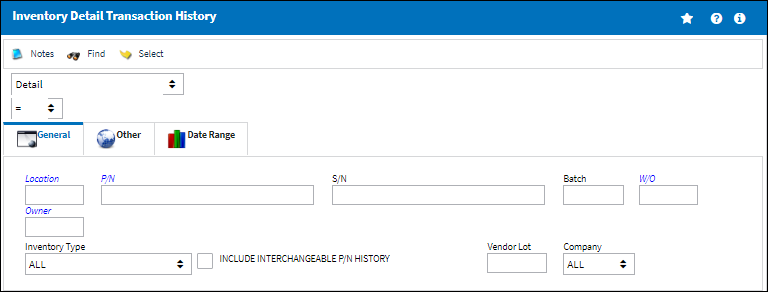
The following options/information is available in this window:
_________________________________________________________________________
Logic drop down 
Select one of the following logic functions to filter for data:
<= Less than or equal to.
<> Not equal to.
= Equal to.
>= Greater than or equal to.
Like Show data like or similar to.
Order No
The type of order and the order number for the transaction.
Custom Status
Customs status that applies to the part in the transaction, as applicable.
Goods RCVD Batch
The original batch number when the part was initially introduced/received into inventory.
Note: This number is updated when a P/N Category is changed via the P/N Category Change Button located in the P/N Master of the Settings Training Manual.
AWB
The airway bill number related to the part.
Transaction Type
The transaction that was conducted against the part.
Adjustment Code
The adjustment code that was used against the P/N via the Adjustment Button via the Inventory Transaction Buttons.
Bin
The specific storage bin within the inventory Location.
Condition
The condition of the part.
Reference
The reference number for the transaction.
Transaction Tag No
The tag number of the transaction to be queried for.
Legacy Batch
The original batch number from the Legacy system from where the data was migrated.
Note: The system will assign a new batch number for migrated data.
_________________________________________________________________________
Note: Users are allowed to reprint Purchase, Exchange and Loan Order receiving prints by selecting the Print  button. To narrow down the search for these orders users can enter 'PO/RECEIVING', 'EX/RECEIVING', and/or 'LO/RECEIVING' into the Transaction Type search field of the Other tab.
Download Online Help
Print
|
©1997-2018 Trax USA Corp. All rights reserved. This manual may not be copied, photocopied, reproduced, translated, or converted to any electronic or machine-readable form, in whole or in part, without prior written approval from Trax USA Corp. |
 |