 Download Online Help
 Print
|
|
|
|
|


Inventory Supervisor, Other Tab
As with the majority of the query selections on the system, it is better to select as many parameters as required to minimize your search result.
Enter one or more of the following as search criteria for the General tab. Select search criteria and click on the Find  button.
Note: As with the majority of search queries, it is recommendable to enter as many search filters as possible to minimize the search result.
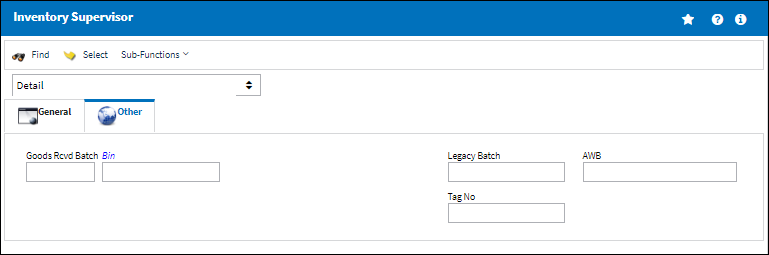
The following options/information is available in this window:
_________________________________________________________________________
Goods Received Batch
The original batch number when the part was initially introduced/received into inventory.
Bin
The specific storage bin within the inventory Location.
Tag No.
The tag number associated with the part.
Legacy Batch
The original batch number from the Legacy system from where the data was migrated.
Note: The system will assign a new batch number for migrated data.
Company
The G/L Company that the P/N was assigned to when entered into inventory or ordered.
Note: This field is defaulted to the selected Company Profile for the user when the Inventory checkbox is selected in the Security, General Tab of the Security Explorer.
Note: For more information, refer to the Multi Company Functionality.
_________________________________________________________________________
Download Online Help
Print
|
©1997-2018 Trax USA Corp. All rights reserved. This manual may not be copied, photocopied, reproduced, translated, or converted to any electronic or machine-readable form, in whole or in part, without prior written approval from Trax USA Corp. |
 |