 Download Online Help
 Print
|
|
|
|
|


The Effectivity  button of the P/N Pool window allows users to apply A/C Effectivity to pooled parts that are only effective to certain aircraft. This effectivity can encompass entire fleets or it can be tail specific.
For example, select a specific P/N pooled part, then select the Effectivity button.
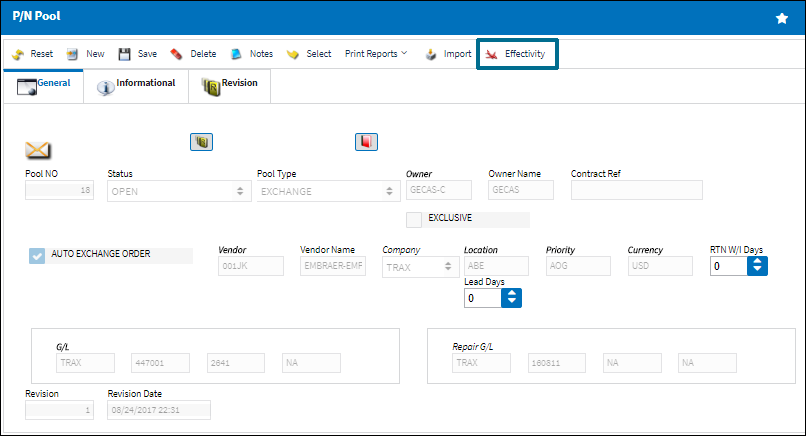
When this Effectivity button is selected, the P/N Pool Effectivity window appears. Here, users can assign effectivity to entire fleets or to specific aircraft for the selected P/N.
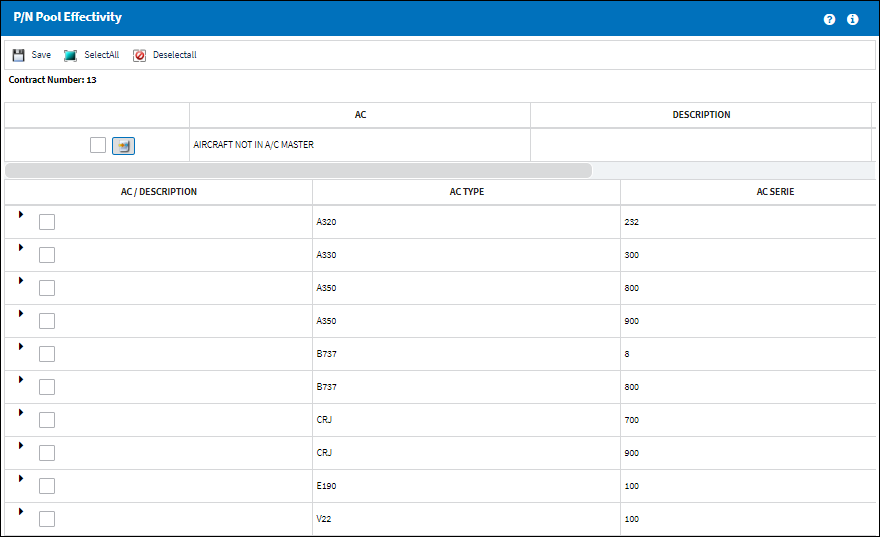
The following options/information is available in this window:
_________________________________________________________________________
Fleet Select All  / Deselect All
 buttons
Use these buttons to select all fleets (including every aircraft) or to deselect all fleets.
Expand  / Collapse
 buttons
Use these buttons to view all of a fleet's aircraft or to hide all of a fleet's aircraft. Once expanded, individual aircraft can be selected or deselected for effectivity.
A/C Type/Series  checkbox
Select this checkbox to add effectivity to all Aircraft under the selected Type/Series
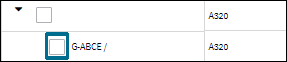
Individual A/C checkbox - Select this checkbox to choose individual aircraft to make effective or not effective. This will change the Status to 'Partially'.
New button
Allows users to add effectivity to an A/C that does not currently exist in the system.
ALL
Indicates that all aircraft for the selected type/series are effective. If only one available Type/series is selected, but all of the aircraft within that type/series are selected, the effectivity is classified as ‘ALL.’
PARTIALLY
Indicates that some but not all aircraft for the selected type/series are effective. If multiple type/series are selected, but one of the selected type/series has aircraft within that are not selected, the effectivity is classified as ‘Partially.’
_________________________________________________________________________
The Notes  button is available to include additional relevant information.
Download Online Help
Print
|
©1997-2018 Trax USA Corp. All rights reserved. This manual may not be copied, photocopied, reproduced, translated, or converted to any electronic or machine-readable form, in whole or in part, without prior written approval from Trax USA Corp. |
 |