 Download Online Help
 Print
|
|
|
|
|


Select the aircraft in the Aircraft Master window then click on the Aircraft Unit  button to enter a new configuration. Select the New
 button.
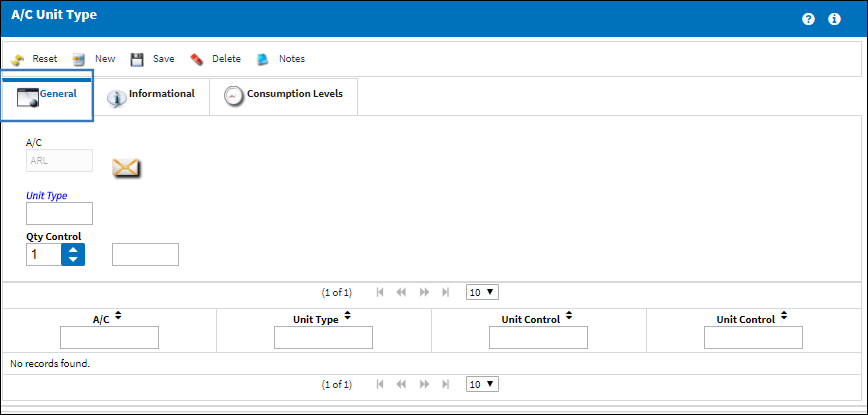
The following options/information is available in this window:
_________________________________________________________________________
A/C
The individual Aircraft tail number.
Unit Type
Select from the available unit types.
Qty Control and Description
Enter the number of controls required. For example, if there are two engines and two oil uplift figures need to be recorded, select unit type 'Engine Oil' and enter Quantity Control '2'.
_________________________________________________________________________
When entering the aircraft flight logs, the Units Tab will contain all the configurations the user has specified.
Note: Many of the oil consumption reports, (i.e. the Oil Consumption, APU Oil Consumption and etc., which are available via Technical Records/Print/A/C Logs Print) will require for either the 'ENG/OIL' or 'APU' unit type codes to exist for proper report functionality. Other unit monitoring reports may require specific Unit Type codes for proper report functionality.
 Download Online Help
Print
|
©1997-2018 Trax USA Corp. All rights reserved. This manual may not be copied, photocopied, reproduced, translated, or converted to any electronic or machine-readable form, in whole or in part, without prior written approval from Trax USA Corp. |
 |