 Download Online Help
 Print
|
|
|
|
|


The Intelli Form Effectivity window allows the user to apply aircraft and type/series effectivity to intelli forms. The effectivity feature allows for only effective intelli forms to appear in the Image Area of the Dent Mapping window when the user filters by aircraft. For additional information, refer to the Image Area via Dent Mapping of the Technical Records Training Manual.
Note: Newly created intelli forms will be effective to all aircraft by default.
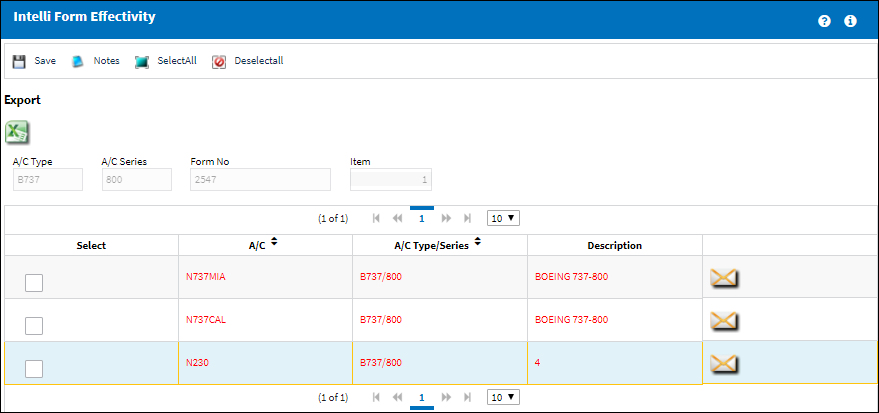
The following options/information is available in this window:
_________________________________________________________________________
Fleet Select All  / Deselect All
 buttons
Use these buttons to select all fleets (including every aircraft) or to deselect all fleets.
Select checkbox
Select this checkbox if the P/N is to be effective to this A/C. Only those with this checkbox selected will have effectivity.
_________________________________________________________________________
Download Online Help
Print
|
©1997-2018 Trax USA Corp. All rights reserved. This manual may not be copied, photocopied, reproduced, translated, or converted to any electronic or machine-readable form, in whole or in part, without prior written approval from Trax USA Corp. |
 |