 Download Online Help
 Print
|
|
|
|
|


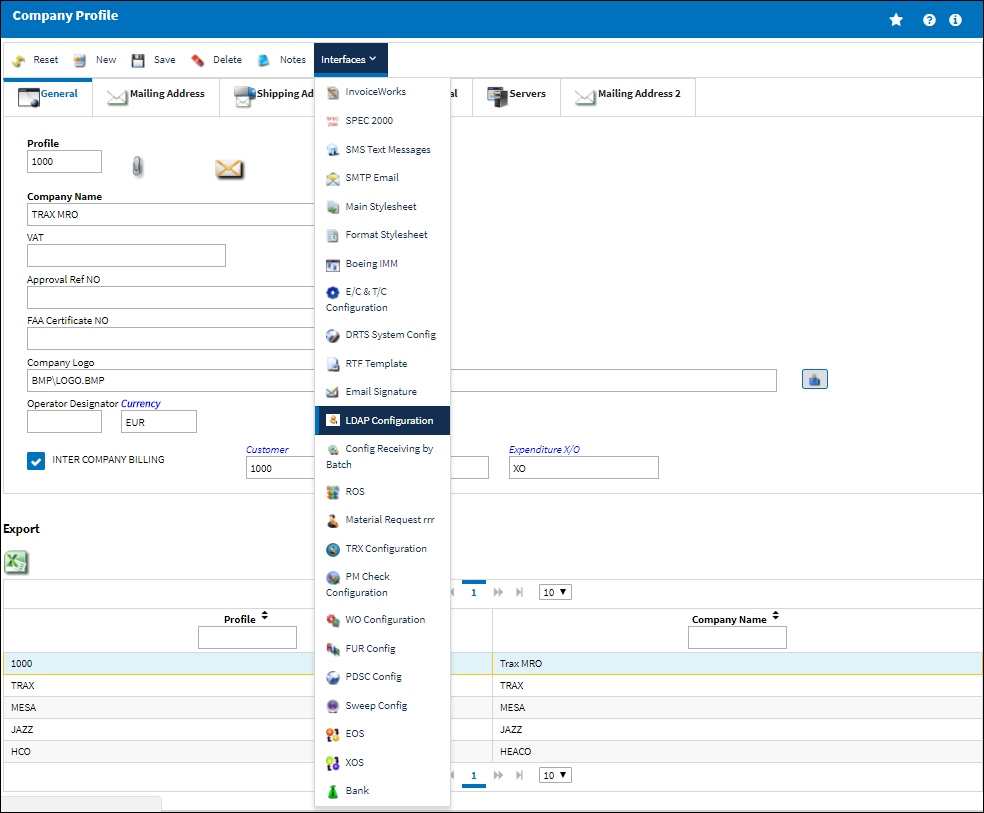
Select the LDAP Configuration File  button to add your LDAP XML.
 The LDAP Configuration File button is an Interface related functionality. For additional information, refer to the appropriate Interface department.
From the Company Profile window, select the LDAP Configuration File button.
The system displays the LDAP Configuration File window, click the  Upload button:
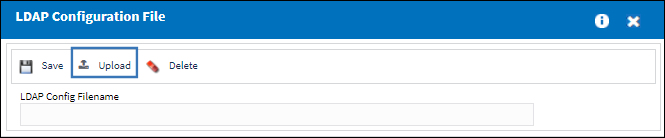
Now Upload the configuration by selecting the  Button.

Download Online Help
Print
|
©1997-2018 Trax USA Corp. All rights reserved. This manual may not be copied, photocopied, reproduced, translated, or converted to any electronic or machine-readable form, in whole or in part, without prior written approval from Trax USA Corp. |
 |