 Download Online Help
 Print
|
|
|
|
|


Location Master, Optional Tab
From the Location Master, select the Optional Tab.
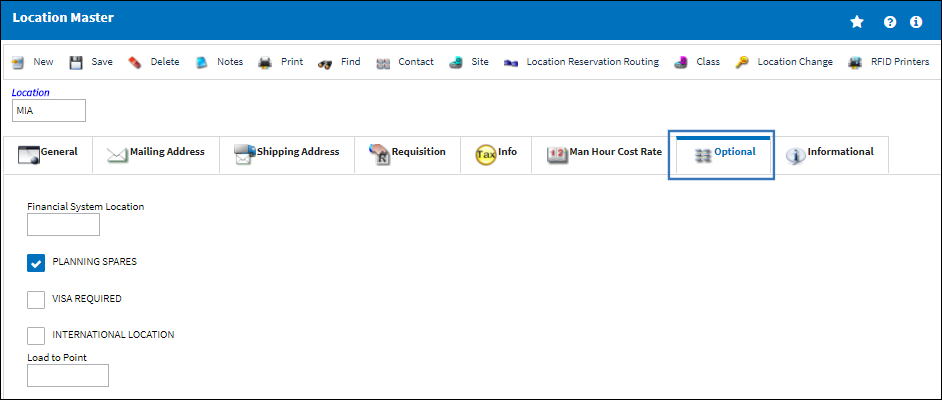
The following options/information is available in this window:
_________________________________________________________________________
Location
The Location for maintenance events, inventory stores, orders, transactions, or training events.
Financial System Location
Financial System location code.
Planning Spares checkbox
When selected, the system will search for available parts in Inventory by location. This will appear in the A/C Planning Query. For additional information, refer to Part Status Indicator Button via A/C Planning Details which can be found in the Planning EVO Training manual.
Visa Required checkbox
Select this checkbox to indicate if a visa is required for the location.
International Location checkbox
Select this checkbox to indicate that the location is an international location.
Load To Point
Indicates the number of Man Hours that are available during the time frame defined in the From-To field in a 24 hour period
_________________________________________________________________________
Download Online Help
Print
|
©1997-2018 Trax USA Corp. All rights reserved. This manual may not be copied, photocopied, reproduced, translated, or converted to any electronic or machine-readable form, in whole or in part, without prior written approval from Trax USA Corp. |
 |