 Download Online Help
 Print
|
|
|
|
|


The P/N Sell, Warranty Tab allows users to set up Warranty information for parts that will be sold to a third party customer.
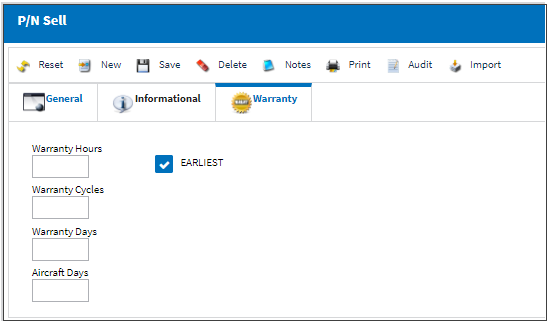
The following options/information is available in this window:
_________________________________________________________________________
Warranty Hours / Cycles / Days
The number of Warranty A/C flight hours related to this part. The number of Warranty A/C cycles related to this part. The number of Warranty A/C days related to this part.
Aircraft Days
The number of Warranty aircraft installed days related to this part.
Earliest checkbox
If the Warranty Hours, Cycles, and Days fields are filled, selecting the Earliest checkbox will make the warranty become due at whichever time comes first. De-selecting the Earliest checkbox will make warranty due for the latest schedule occurrence.
_________________________________________________________________________
Download Online Help
Print
|
©1997-2018 Trax USA Corp. All rights reserved. This manual may not be copied, photocopied, reproduced, translated, or converted to any electronic or machine-readable form, in whole or in part, without prior written approval from Trax USA Corp. |
 |