 Download Online Help
 Print
|
|
|
|
|


Packing and Shipping Query
The Packing and Shipping, General Tab is used to query for Shipment Orders based on the following search criteria. Users enter search criteria in the top of the window, and the results are displayed in the table to the bottom.
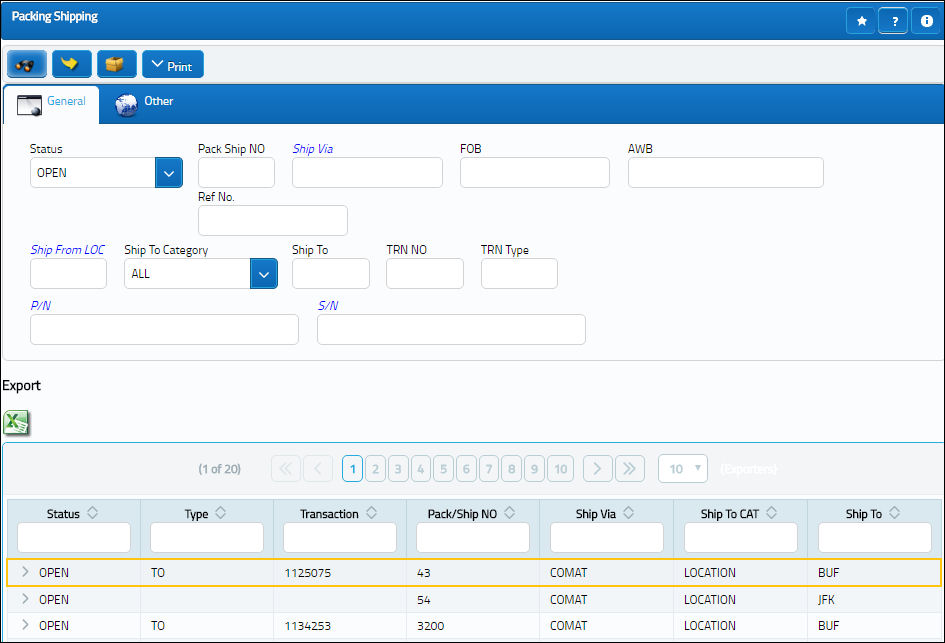
Note: Actual records cannot be edited from the Query window. Additional search criteria can be specified in the Packing and Shipping Query, Other tab.
The following options/information is available in this window:
_________________________________________________________________________
Status
The current status of the shipment:
All - Query all Packing and Shipping records.
Open - This shipment is neither shipped nor packed. Only the shipping header is created.
Packed - The items to be shipped are already added to the shipment, but the boxes have not been shipped out.
Received - The items have been received by the recipient of the Packing and Shipping record.
Shipped - The shipment is complete and the boxes are shipped out.
Pack Ship Number
The Packing and Shipping Reference Number.
Ship Via
Ship Via code and method to be used.
Note: Users can select into this field to choose from a selection of shipping methods.
FOB
Freight On Board information (sometimes referred to as Free On Board). This information may be pre-defined by vendor. This field is not code-controlled and can be filled as desired. Please note that this does not influence the shipping route.
AWB
The airway bill number related to the part.
Reference Number
Enter the reference number of the record.
Ship From Location
Location from which order has been shipped.
Ship To Category
The shipment category (All, Owner, Vendor, Customer or Location).
Ship To
The receiving customer, vendor, location or owner.
Transaction Number
The sequential transaction number for the shipment.
P/N
The Part Number reference for the aircraft part.
S/N
The Serial Number for the specific serialized part.
_________________________________________________________________________
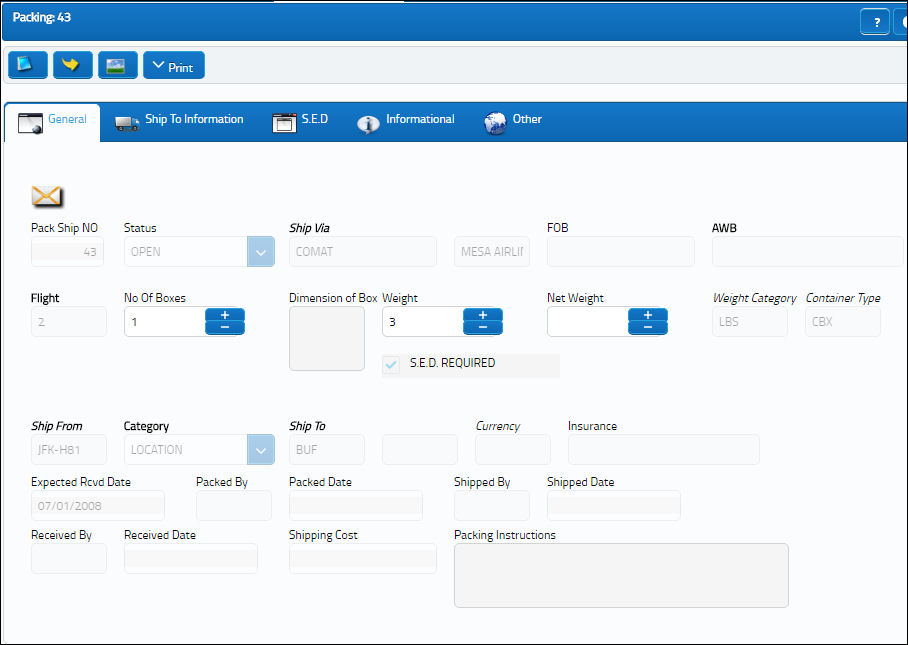
The user can view additional information about the selected record by clicking the Select  button. The Packing and Shipping header window will be displayed in Query mode.
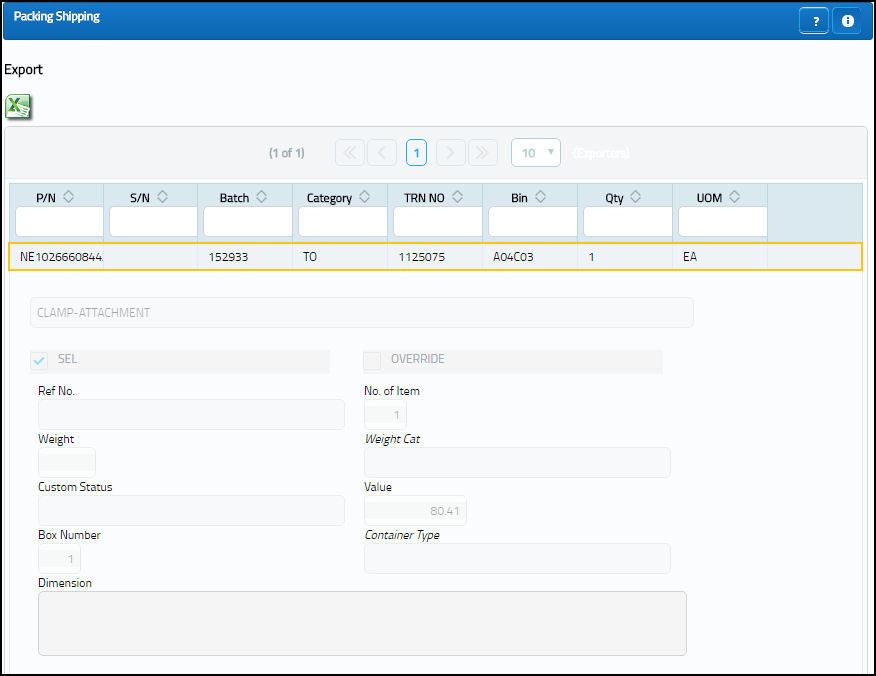
The detail window can be accessed by selecting into the record.
Download Online Help
Print
|
©1997-2018 Trax USA Corp. All rights reserved. This manual may not be copied, photocopied, reproduced, translated, or converted to any electronic or machine-readable form, in whole or in part, without prior written approval from Trax USA Corp. |
 |