 Download Online Help
 Print
|
|
|
|
|


The Auto S/N  button allows the user to automatically assign Serial Numbers to NLAs (Next Lower Assemblies). The Auto S/N button can be found throughout the system in many windows where NLAs are being loaded into the system.
Note: This button is an independent functionality and has its own tracking number and it does not use the "PREFIX" via the Auto S/N Creation checkbox via P/N Master, Inventory tab. There is an option to assign a PREFIX via the Switch  NLATBDSN via Receiving.
In the following example, the user will access the Auto S/N button from the P/N N/L/A Creation window of the Receiving Inspection window.
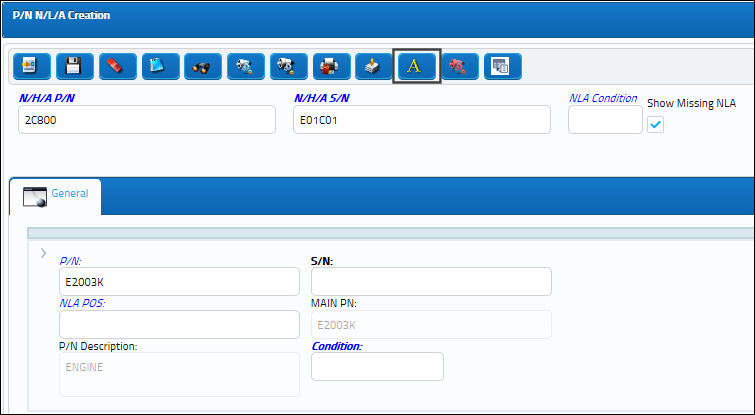
From the P/N N/L/A Creation window. The NLAs for the NHA appear as shown below. Select the Auto S/N button.
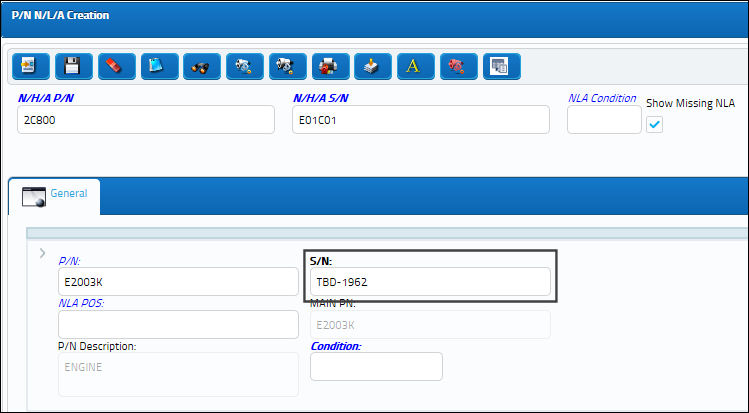
The Serial Numbers are auto populated by the system.
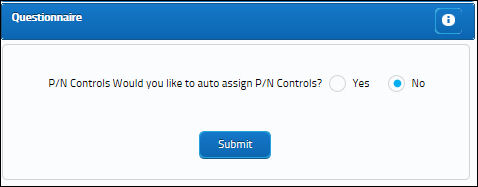
The following prompt appears asking the user if they would like to auto assign P/N Controls. If 'Yes' is selected, the P/N Controls will be assigned. If 'No' is selected, the P/N Controls will be pending.
In this example, the user will select No. Select the Save  button.
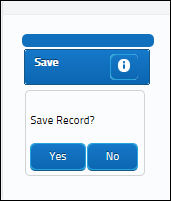
The Save prompt appears. Select 'OK' to save the Serial Numbers that were auto populated.
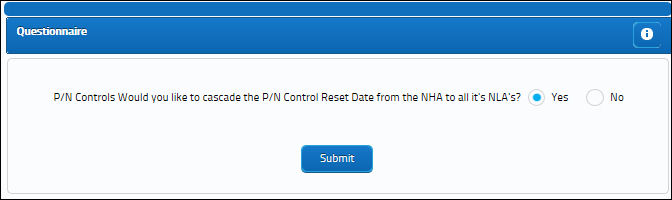
The following prompt appears asking the user if they would like the Installed Date from the NHA to be cascaded down to the Reset Date of the NLAs. In this example, the user will select 'Yes.'
From the P/N Inventory Control window, the Reset Date of the NHA has been cascaded down to the Reset Date for the NLA.
Note that the P/N Controls are pending.
The Reset Date has also cascaded for NLAs. The P/N Controls are also pending.
Download Online Help
Print
|
©1997-2018 Trax USA Corp. All rights reserved. This manual may not be copied, photocopied, reproduced, translated, or converted to any electronic or machine-readable form, in whole or in part, without prior written approval from Trax USA Corp. |
 |