 Download Online Help
 Print
|
|
|
|
|


Recurrent Items, Optional Tab
The Recurrent Items, Optional tab displays the following information:
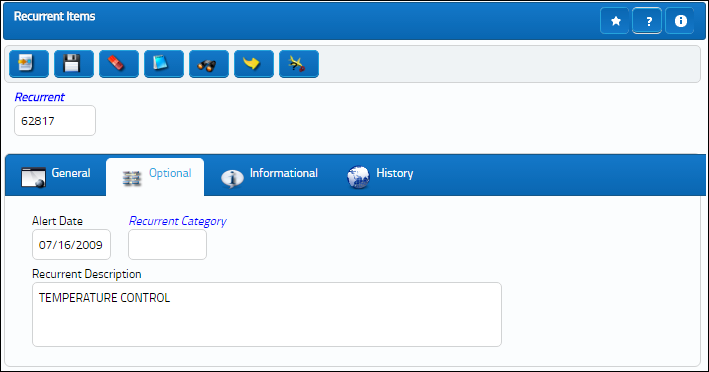
The following options/information is available in this window:
_________________________________________________________________________
Recurrent Description
The description of the Recurrent Item. By default, this field is composed of the P/N Description of the part that triggered the Recurrent Item. This field can be updated manually.
Note: Users are allowed to enter a description with up to 1500 characters.
Alert Date
By default this it the date that the alert was triggered. But this date can be updated manually if required.
Recurrent Category
The Recurrent Category of the Alert. This is defined via Settings/ Explorer/ System Transaction Code/ Reliability/ Recurrent Category. When this transaction code has either the Alert or Chronic radio buttons selected, the Recurrent Item becomes eligible for the authorization process. When a Recurrent Item has a Recurrent Category that's set as Alert or Chronic, the Release for Authorization  button becomes available. Once the Item is released for authorization, the Item must be authorized. For more information refer to the Recurrent Item Authorization Explorer via the Reliability Training Manual and the Recurrent Category Code via the Reliability Transaction Code Manual.
_________________________________________________________________________
Note: Items that are marked as Chronic or Alert (or any code with the respective flag in the trans code Recurrent Category) can be authorized and sent to the Technical Support Disposition Explorer. Please refer to the according chapters for more information.
Download Online Help
Print
|
©1997-2018 Trax USA Corp. All rights reserved. This manual may not be copied, photocopied, reproduced, translated, or converted to any electronic or machine-readable form, in whole or in part, without prior written approval from Trax USA Corp. |
 |