 Download Online Help
 Print
|
|
|
|
|


Employee Authorization, General Tab
The Employee Authorization, General tab is used to query for Employee Authorization records based on the following search criteria. Enter any of the below search criteria to query for a desired Employee Authorization record and select the Find  button.
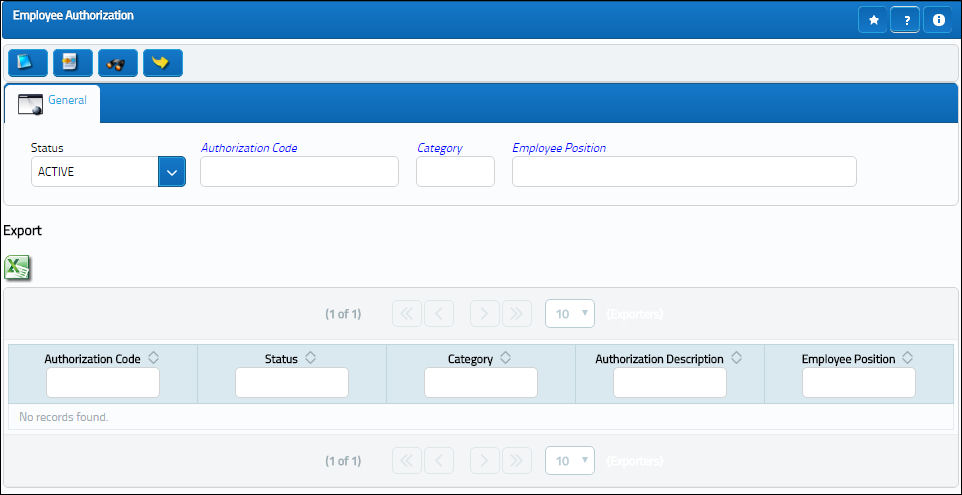
The following options/information is available in this window:
_________________________________________________________________________
Status
Enter one of the following three statuses to query by.
Active - All 'active' employee authorization records.
All - 'All' employee authorization records.
Inactive - All 'inactive' employee authorization records.
Authorization Code
The Authorization Code is used to signify a process of acceptance. The authorization codes are selected from the pop-up window (the codes are entered via Settings/Explorer/System Transaction Code).
Category
The category of the Authorization Code.
Employee Position
The employee position(s) associated with the Authorization Code.
_________________________________________________________________________
Download Online Help
Print
|
©1997-2018 Trax USA Corp. All rights reserved. This manual may not be copied, photocopied, reproduced, translated, or converted to any electronic or machine-readable form, in whole or in part, without prior written approval from Trax USA Corp. |
 |