 Download Online Help
 Print
|
|
|
|
|


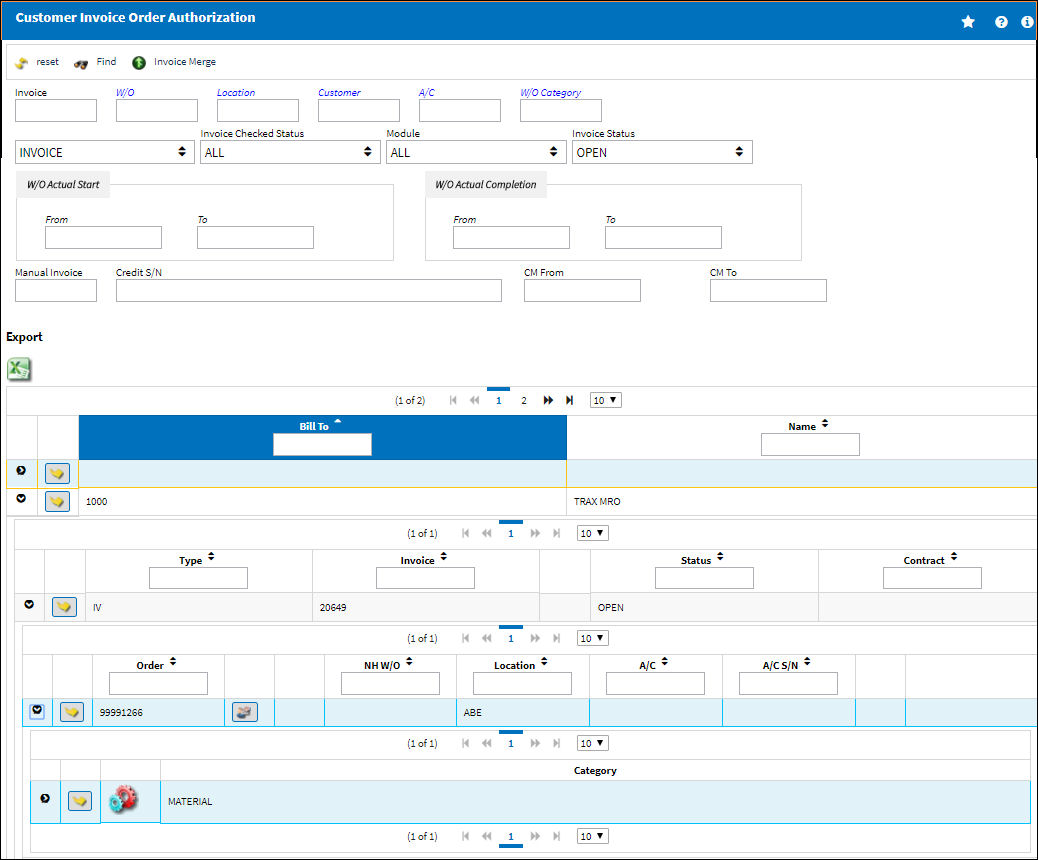
Select into the Material  icon to view all materials associated to the invoice.
The system displays the Customer Invoice Authorization P/N window:
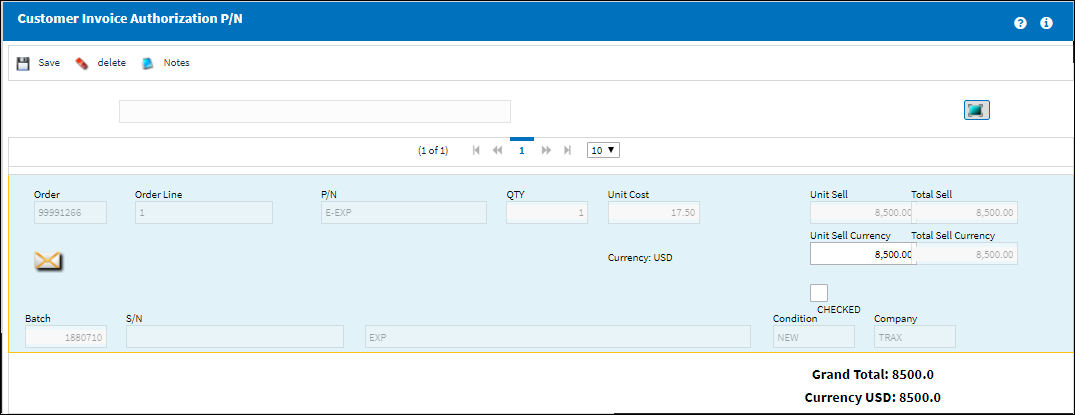
Note: The second row of Costs/Fees automatically converts the main currency with the Customer's Currency. The Customer's Currency is displayed to the left of the values and is informational. See below for more information on all of these figures.
The following options/information is available in this window:
_________________________________________________________________________
Billing Category
P/N Category classification for customer contracts that do not necessarily exist in the system P/N Master but will appear on the Customer Work Order Invoice for all parts issued for that part category. For example, the P/N Category in the system may be 'expendable,' however materials in the invoice may appear as 'supplies', as defined in this field in the Customer Contract.
Work Order
The Work Order used to categorize, manage, and schedule work requirements for aircraft maintenance.
Task Card
The Task Card / Job Card that details the scheduled maintenance work.
P/N
The Part Number reference for the aircraft part.
QTY
Quantity of parts posted to materials invoice.
Unit Cost
The unit cost. This may be updated after the detail has been created and saved if required.
Billed QTY
The quantity that was billed.
Select All  button
Click on this button to select all checkboxes (Checked checkbox, Do Not Invoice checkbox, Flat Sell checkbox).
Unit Sell
The Sell price per each unit.
Note: The Markup percentage will affect the Unit Sell amount.
Markup %
The percentage the materials have been marked up against the cost of the part used to establish a profit margin. The markup percentage will never be lower than the Lower Limit, or higher than the Higher Limit.
Note: The Markup percentage will affect the Unit Sell amount not the Unit Cost.
Note: This field is greyed out when the Do Not Invoice checkbox is selected.
Currency
The Customer's currency which triggers the exchange rate. This field is informational.
Condition
The Condition of the material part involved in the order. For more information refer to the Sell Button via the P/N Master section of the Settings Training Manual.
Total Sell
The total Sell amount for all units.
Handling
The percentage being charged for handing fees (i.e., shipping costs, receiving). This percentage will be applied to the sell price of the material.
Checked checkbox
Select this checkbox once items have been checked and confirmed. This will prevent time loss due to verification purposes. This checkbox is informational only.
List Price
The listed price of the part.
Do Not Invoice checkbox
When selected, the material or labor specified will be displayed in the invoice, but the customer will not be charged for the material or labor specified. For example, this could include materials such as gloves, or labor such as washing or towing of an aircraft that should be listed in the invoice but the customer may not be required to pay for.
Flat Sell checkbox
This is the flat chargeable amount for material and or labor. Flat rate is in company currency. This checkbox appears only when the Do Not Invoice checkbox is deselected.
Batch
The batch number that is associated with a part when introduced/received into the system.
S/N
The Serial Number for the specific serialized part.
P/N Description
The description of the part.
Grand Total
The total of all charged line items.
_________________________________________________________________________
Download Online Help
Print
|
©1997-2018 Trax USA Corp. All rights reserved. This manual may not be copied, photocopied, reproduced, translated, or converted to any electronic or machine-readable form, in whole or in part, without prior written approval from Trax USA Corp. |
 |