 Download Online Help
 Print
|
|
|
|
|


Employee Attendance Log Print
This option allows users to print the Employee Attendance Log Print.
The system displays the following window. Enter any of the below search criteria to query for a desired Log Print.
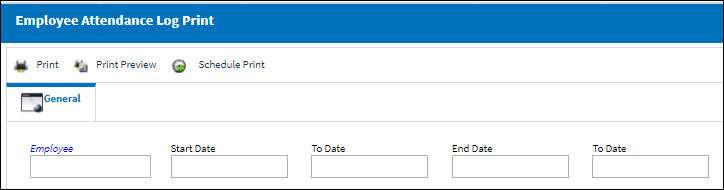
The following options/information is available in this window:
_________________________________________________________________________
Logic drop down 
Select one of the following logic functions to filter for data:
<= Less than or equal to.
<> Not equal to.
= Equal to.
>= Greater than or equal to.
Like Show data like or similar to.
Employee
Enter the name of the employee who's log print is being searched.
Start Date (From-To)
Enter the Start Date (From-To Range) of the employee.
End Date (From-To)
Enter the End Date (From-To Range) of the employee.
_________________________________________________________________________
Download Online Help
Print
|
©1997-2018 Trax USA Corp. All rights reserved. This manual may not be copied, photocopied, reproduced, translated, or converted to any electronic or machine-readable form, in whole or in part, without prior written approval from Trax USA Corp. |
 |