 Download Online Help
 Print
|
|
|
|
|


Authorization requirements must first be set up by linking the Customer Contract to a Third Party Work Order. Once a Requisition is created for the Third Party Work Order, the Third Party Work Order Authorization flag will appear on the Requisition Detail. The Requisition can only be authorized after the purchase for the part(s) has been authorized and accepted.
The below example outlines how to set up authorization requirements for Third Party Work.
Authorization Example: Materials
Note: This Authorization Requirement setup applies for Repairable, Serialized, Consumable P/Ns as well as Kit P/Ns.
In the following example, the Require Authorization For Serialized P/N checkbox is selected. If any serialized parts are requisitioned that surpass the maximum amount ($100), authorization will be required.
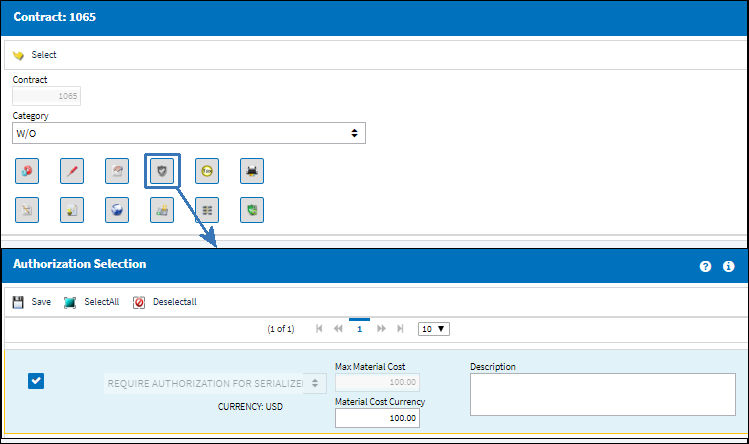
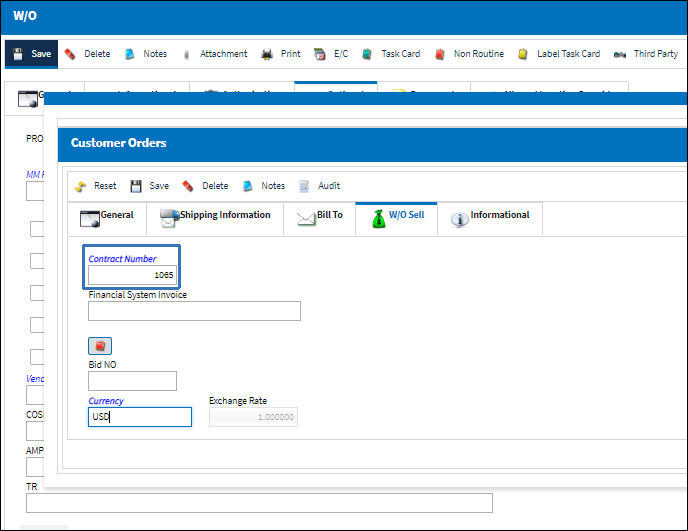
A Third Party Work Order is created and the Customer Contract (15) is linked to the TPWO.
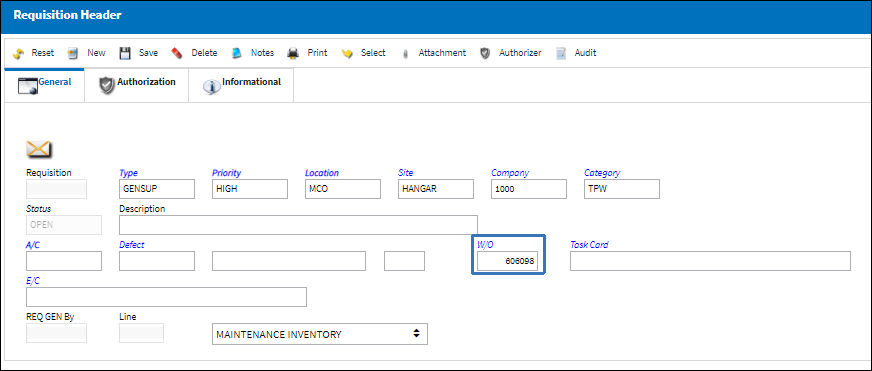
A Requisition is created for the above Third Party Work Order.
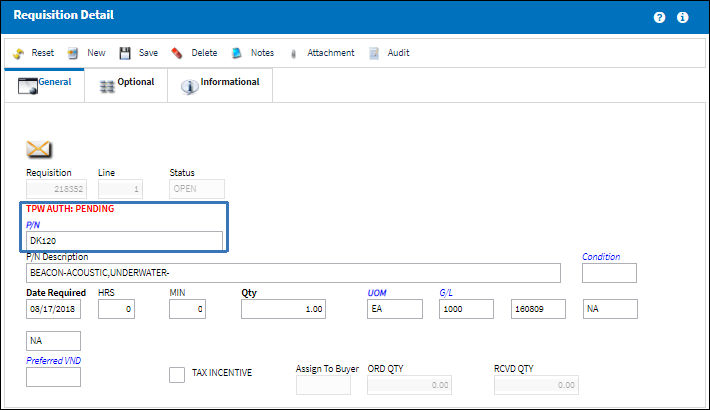
Once the Requisition Detail has been saved, the TPW Auth: Pending text appears in red above the P/N field. The Third Party Work Order must first be authorized before the Requisition can be authorized.
From the Requisition Authorization window, the Requisition cannot be authorized until the Third Party Work Order has been Authorized.
The Third Party Work Order is still Pending Authorization.
Authorize the Purchase.
When the user returns to the Requisition Authorization window, the Third Party Work Order Authorization is accepted. The user can now authorize the Requisition.
Authorization Example: N/R Labor
The set up for authorization requirements for labor against a Non-Routine Task Card is similar to the set up for authorization requirements for parts. If the labor against the Non-Routine Task Card exceeds the maximum amount established via the Authorization button, the system will flag the W/O Non-Routine Task Card window to inform the user that the Non-Routine Task Card must first be authorized before work can be started.
In the following example, the authorization requirement for labor for Non-Routine Task Cards is set at a maximum of 25 hours.
The above Contract has been linked to the following Third Party Work Order. 26 man hours has been added to the Non-Routine Task Card. Once these man hours have been saved against the Non-Routine Task Card, the TPW Auth flag appears in red text above the E/C field.
The Non-Routine Task Card must first be authorized before work can be started.
Download Online Help
Print
|
©1997-2018 Trax USA Corp. All rights reserved. This manual may not be copied, photocopied, reproduced, translated, or converted to any electronic or machine-readable form, in whole or in part, without prior written approval from Trax USA Corp. |
 |