 Download Online Help
 Print
|
|
|
|
|


Select the A/C Flight Delete  button to delete A/C logs from the database by A/C and/ or Date.
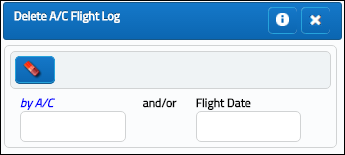
The following options/information is available in this window:
_________________________________________________________________________
A/C
The individual Aircraft tail number.
Flight Date
The Flight Date that you require to delete.
_________________________________________________________________________
Select The A/C and Date, or just the Flight Date to delete all logs selected from the Flight Database.
Select the Delete  button to complete the transaction.
Note: Use this option with caution, although it is not allowed to delete ALL logs for one aircraft with this function. This function can be protected with button security.
Download Online Help
Print
|
©1997-2018 Trax USA Corp. All rights reserved. This manual may not be copied, photocopied, reproduced, translated, or converted to any electronic or machine-readable form, in whole or in part, without prior written approval from Trax USA Corp. |
 |