|
MANUALS > Shop > Shop Module > Shop, Update Menu > Shop W/O > Shop Work Order Detail > W/O Shop Detail, P/N Information Tab > Tag Button, via W/O Shop Detail, P/N Information Tab
Tag Button, via W/O Shop Detail, P/N Information Tab
From the P/N Information Tab (via a Shop Work Order), Select the Tag  button. The system displays the following window prompt. Select the required type to see the print.
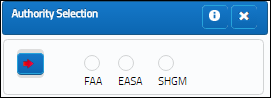
The print is then generated and is accessible from the Print Queue.
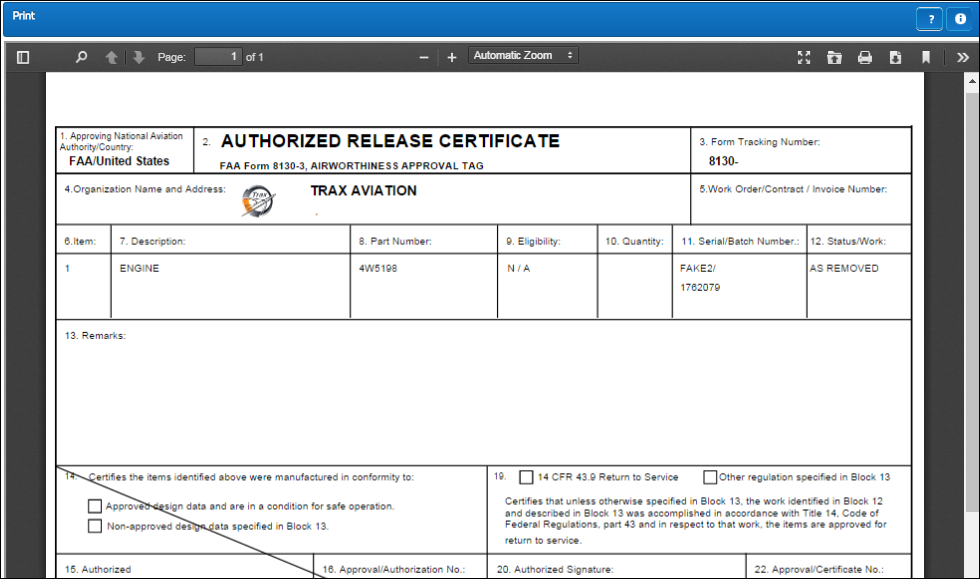
Note: P/N Identification Tags are customized per customer.
|
See Also W/O Shop Detail, P/N Information Tab Audit Button, via W/O Shop Detail, P/N Information Tab Notes Button, via W/O Shop Detail, P/N Information Tab Tear Down Button, via W/O Shop Detail, P/N Information Tab Attachment Button, via W/O Shop Detail, P/N Information Tab E/C Button, via W/O Shop Detail, P/N Information Tab P/N Interchangeability Button, via W/O Shop Detail, P/N Information Tab Task Card Button, via W/O Shop Detail, P/N Information Tab Mass N/R Button, via W/O Shop Detail, P/N Information Tab N/R Button, via W/O Shop Detail, P/N Information Tab Change P/N Button, via W/O Shop Detail, P/N Information Tab NLA Installation/Removal Button, via W/O Shop Detail, P/N Information Tab Return To Owner Button, via W/O Shop Detail, P/N Information Tab P/N Brk-Dwn Button, via W/O Shop Detail, P/N Information Quote Button, via W/O Shop Detail, P/N Information Tab |
|
 Download Online Help


