 Download Online Help
 Print
|
|
|
|
|


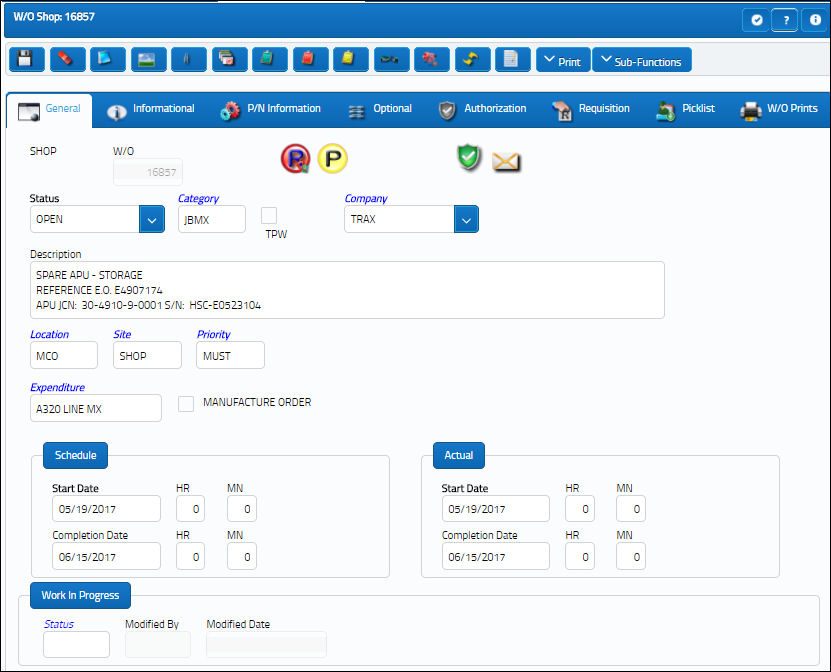
The Picklist  button allows users to generate a picklist for a Shop Work Order's required parts, as long as those parts are available in the Inventory selected.
From the Shop W/O Header, select the Picklist button:
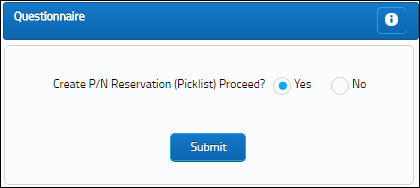
The system displays the Create P/N Reservation (Picklist) pop-up window. Select 'Yes' to proceed with the Picklist creation.
Note: When creating a Picklist, the system validates the Company of the part being Picklisted in inventory against the Company of the Picklist. For example, if a Picklist is created for a 'Company A' record, only available inventory linked to 'Company A' will be considered for the Picklist. For more information, refer to the Multi Company Functionality.
Note: If the W/O does not have any part requirements against a Task Card or Non-Routine Task Card, then a Picklist cannot be created for the W/O through this button.
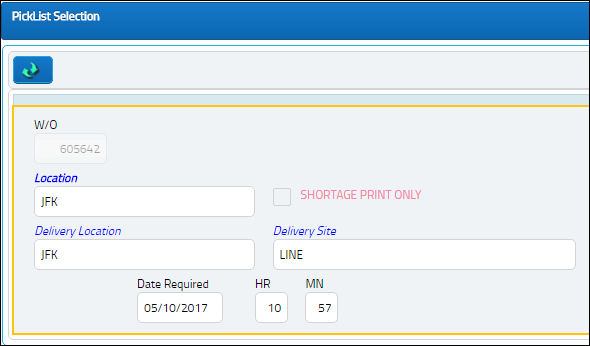
Populate all mandatory and desired information and select the Find  button. If the required parts are available in Inventory, then a Picklist will be created for that part.
The Picklist Print is generated as shown below:
Note: Parts that are categorized as General (Interchangeable) parts will appear on the Picklist Print, regardless of their effectivity as long as the Main P/N is effective to the specified aircraft used to create the Work Order.
ETOPS Picklist Reservation:
The following is an example of how ETOPS non authorized and ETOPS authorized parts behave when being reserved.
Note: Switch  ETOPS must be set to No. For additional information, refer to Switch ETOPS, via the Inventory Switches Manual.
P/N |
ETOPS Status |
DL-ROT-1 (Main) |
Non-Authorized |
DL-ROT-1.2 (Interchangeable) |
Authorized |
When creating a reservation for an ETOPS non authorized P/N, the main P/N is not reserved:
P/N |
Available |
Reserved |
DL-ROT-1 (Main) |
1 |
0 |
When creating a reservation for an ETOPS non authorized, non available P/N, the main P/N is not reserved:
P/N |
Available |
Reserved |
DL-ROT-1 (Main) |
0 |
0 |
When creating a reservation for an ETOPS non authorized main P/N with an ETOPS authorized interchangeable, the main P/N is not reserved, but the interchangeable is reserved:
P/N |
Available |
Reserved |
DL-ROT-1 (Main) |
1 |
0 |
DL-ROT-1.2 (Interchangeable) |
1 |
0 |
Download Online Help
Print
|
©1997-2018 Trax USA Corp. All rights reserved. This manual may not be copied, photocopied, reproduced, translated, or converted to any electronic or machine-readable form, in whole or in part, without prior written approval from Trax USA Corp. |
 |