 Download Online Help
 Print
|
|
|
|
|


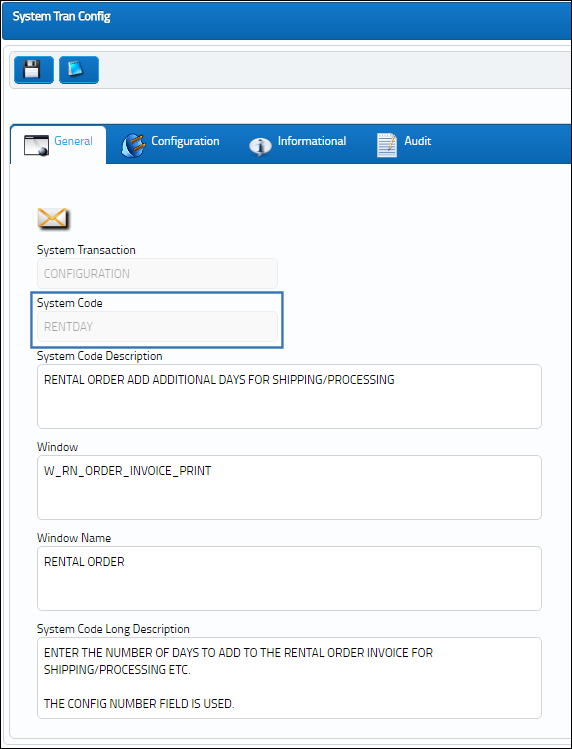
RENTDAY - Rental Order Add Additional Days For Shipping/Processing
Rental Order Add Additional Days For Shipping/Processing
Affected window: w_m_order_invoice_print
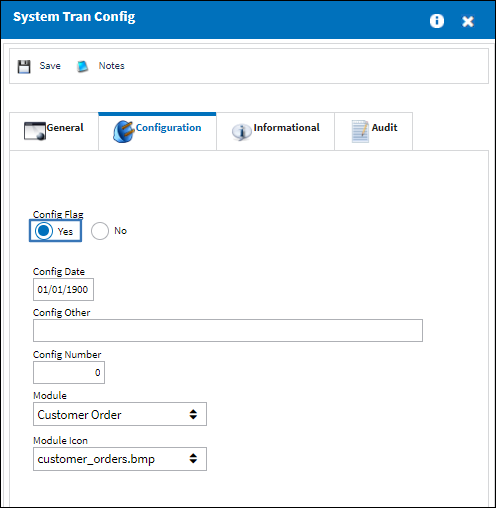
Switch Set to Yes:
When set to Yes, the system enters the number of days to add to the Rental Order Invoice shipping/processing etc. in the Config Number field.
Create a Rental Order.
Issue the requested part to the Rental Order, then select into the Rental Order and navigate to the Cost tab. The Pack/Ship Days field is populated with the number previously specified in the Config Num field of the switch settings.
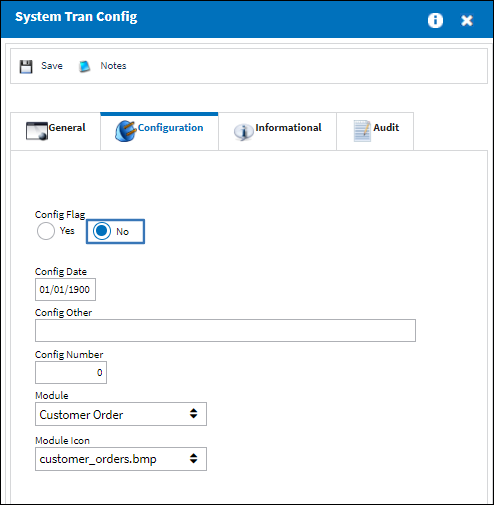
Switch Set to No:
When set to No, the system does not enter the number of days to add to the Rental Order Invoice.
Create a rental order.
Issue the requested part to the rental order, and then select into the Rental Order and navigate to the Cost tab. Note that the Pack/Ship Days field is blank.
Download Online Help
Print
|
©1997-2018 Trax USA Corp. All rights reserved. This manual may not be copied, photocopied, reproduced, translated, or converted to any electronic or machine-readable form, in whole or in part, without prior written approval from Trax USA Corp. |
 |