 Download Online Help
 Print
|
|
|
|
|


INVBALPERIOD - Inventory Balance and Costing by Period
Inventory Balance and Costing by Period
Affected Window: w_inventory_costing
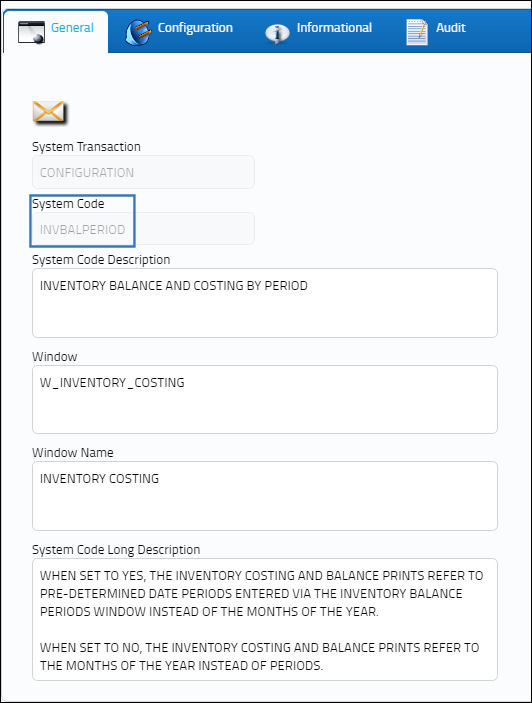
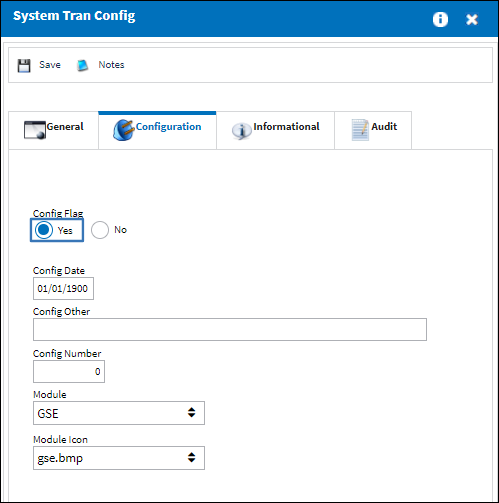
Switch Set to Yes:
When set to Yes, the Inventory Costing and Balance prints refer to pre-determined date Periods entered via the Inventory Balance Periods window instead of the months of the year.
For example, from the G/L Interface/Update/Inventory Balance Periods window, users can enter individual Periods and start and end dates. For more information refer to Inventory Balance Periods via the G/L Interface Manual.
Note: These dates do not necessarily have to be the first and last days of the month.
Notice the Month field becomes the Period field via the Inventory Costing print window. Select a previously created Period number and year then select the Find  button.
There is not a difference in the appearance of the print screen, but the dates are altered to reflect the selected Period.
If a Period number is entered that has not been created for the selected Year, the print will not generate.
The following warning message will appear.
Switch Set to No:
When set to No, the Inventory Costing and Balance prints refer to the months of the year instead of Periods.
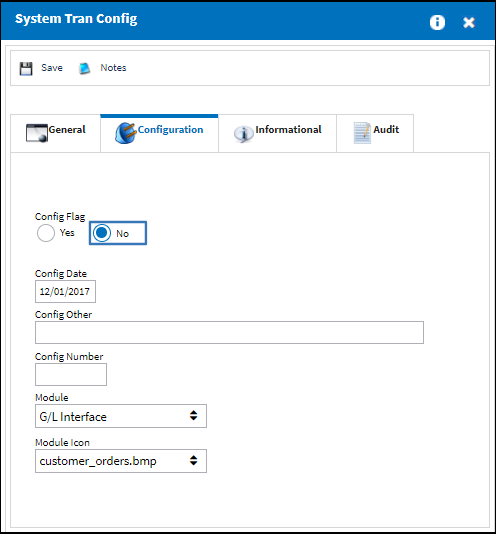
From the Inventory Costing print window, enter the Month number and the Year. Select the Find button to generate the print.
As long as the Month and Year have previously been closed, the print screen will be generated. The print will include the selected month starting with the first day and ending in the last day of the month. The Inventory Balance Period window will not be used.
Download Online Help
Print
|
©1997-2018 Trax USA Corp. All rights reserved. This manual may not be copied, photocopied, reproduced, translated, or converted to any electronic or machine-readable form, in whole or in part, without prior written approval from Trax USA Corp. |
 |