 Download Online Help
 Print
|
|
|
|
|


Currency
The System Transaction Codes are displayed with both the Code Names and Descriptions. The Code Descriptions directly illustrate their functionality and role in the system, as fields are populated and tasks are performed.
Transaction Code: |
Currency |
General Description: |
Currency and Exchange Rates |
Are Authorization Steps Available? |
N |
Is System Notification Available? |
N |
Control Panel Path(s): |
Engineering/ Update/ E/C |
Windows(s): |
w_vendor_master_eu; w_order_header_eu (for all order types, except TO); w_packing_shipping_header_eu; w_invoice header_eu. |
Related Switch(s): |
|
Functions: |
To report in the customers’ financial reports in their primary currency |
Reports: |
All G/L Reports are reported in Primary Currency and the Secondary Currency is available in some reports and most queries |
Note: The currency code is available in a number of windows within the system from P/N vendor price in the P/N Master to Vendor Master under the Setting module, but is most crucial use of this code are at the Order and Invoicing levels which will impact the financial records. The Currency Exchange Rate, however, may only be entered via Settings/ Explorer/ System Transaction Codes. Please note that this is a manual process of updating the exchange rates as your company’s policy. The impacts as vast on your inventory costing and balances.
Available Functionality:
The Currency code allows the system's Customers the ability to handle a multitude of currencies when dealing with vendors and customers. Currency also allows the user to track exchange rates between these currencies and their primary currency thereby providing exchange rate conversions. The Currency code may be entered via Setting/ Explorer/ System Transaction Codes. Set-up is identical to the creation of any other System Transaction Code and contains two additional fields for the Currency Exchange Rate and Exchange Date of the Currency code.
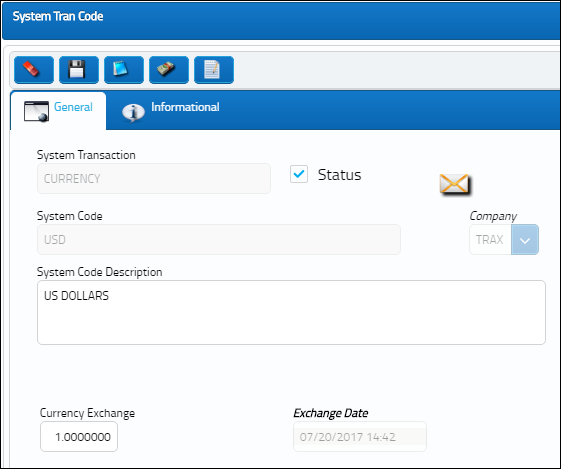
The following options/information is available in this window:
_________________________________________________________________________
Company
The company for which the specified currency has been created.
Currency Exchange
The exchange rate of the specified currency.
Exchange Date
When the Currency Exchange rate is updated, the system will automatically adjust the Exchange Date to the current date.
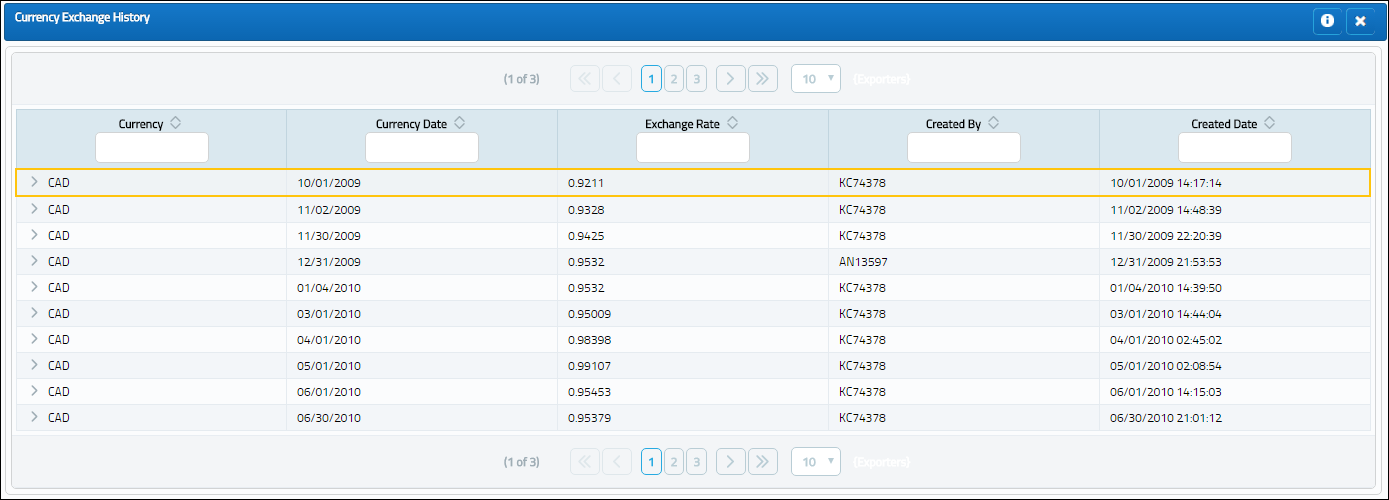
Currency Exchange History  button
The Currency Exchange History button allows the user to view the historical exchange rate for a specified currency.
_________________________________________________________________________
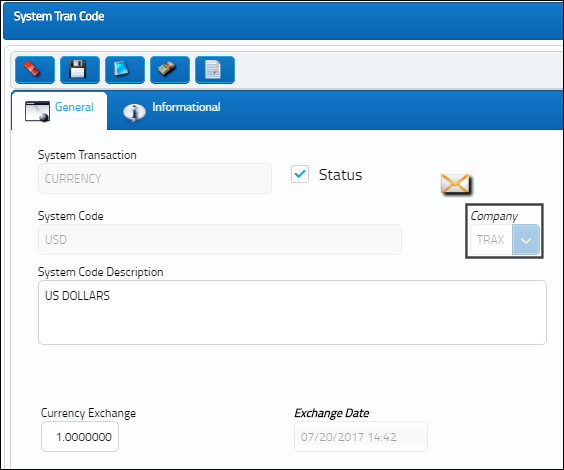
Users can create unique Currency-Company codes with unique exchange rates for each code.
Note that the Company being used in this example is TRAX and the Currency is in USD.
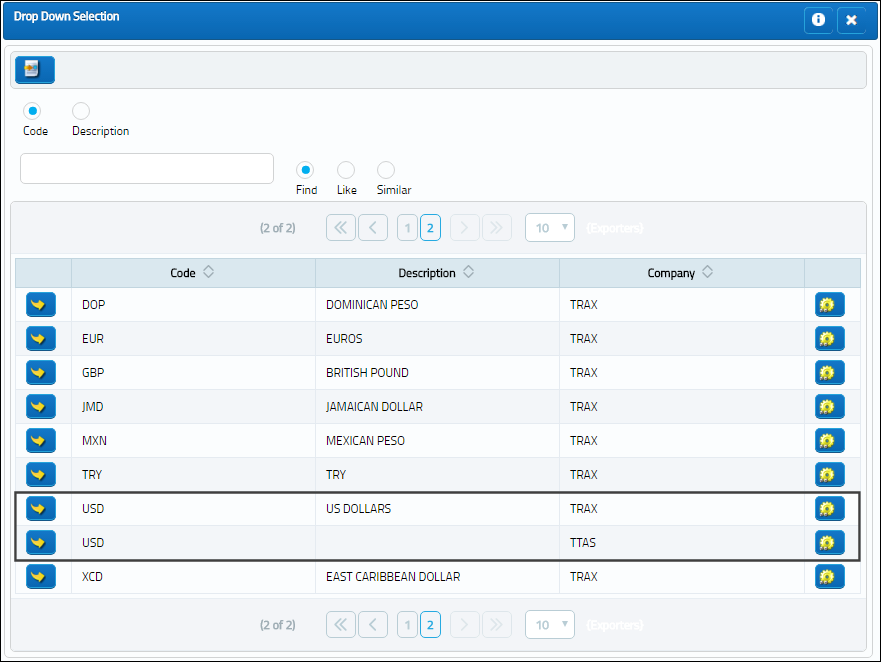
Go to the Purchase Order Header window. In the below order, the Company selected is TRAX. Select into the Currency field.
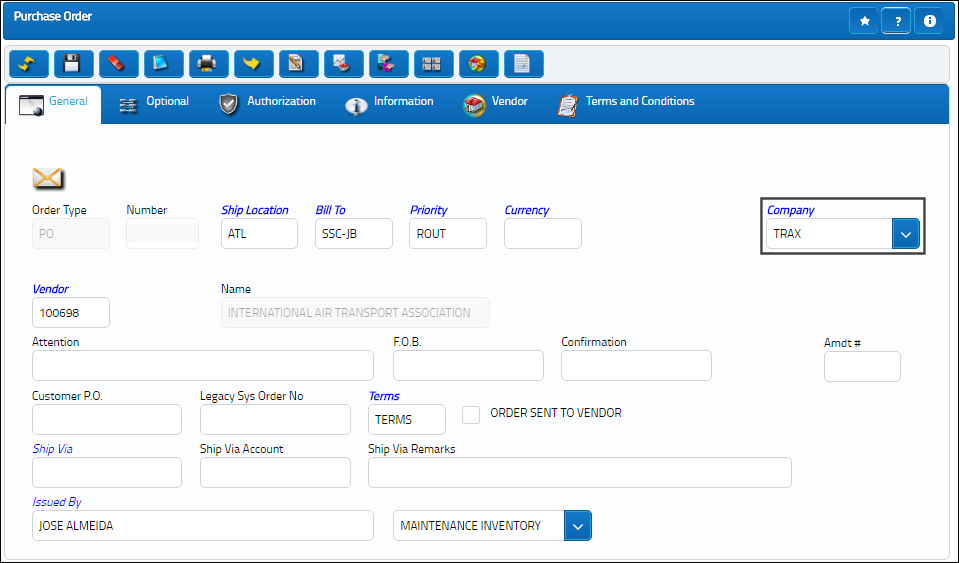
While there are multiple companies that are set up with the currency USD, the user MUST select the USD for Company TRAX. The system will validate that the correct Company is selected.
Download Online Help
Print
|
©1997-2018 Trax USA Corp. All rights reserved. This manual may not be copied, photocopied, reproduced, translated, or converted to any electronic or machine-readable form, in whole or in part, without prior written approval from Trax USA Corp. |
 |