 Download Online Help
 Print
|
|
|
|
|


Authorization Steps Button, via P/N Category
The Authorization Steps  button allows the user to set up the different authorization steps required in order to authorize Part Numbers. Authorization steps can be configured for specified for Authorization Groups or Departments. Once configured, P/Ns are authorized via the P/N Authorization Explorer of the Settings module.
When selected, the Authorization Steps button redirects to the PN Category Authorization Steps window. Here, the user can define the name of each individual authorization step, and the department or authorization group that will be allowed to authorize the step once it has been created.
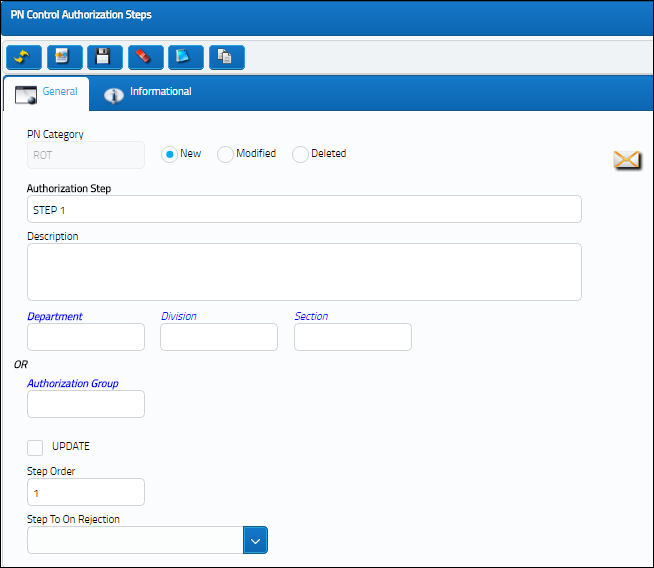
Each of these steps needs to be authorized individually by the specified authorization group or department before the P/N can be used throughout the system.
Download Online Help
Print
|
©1997-2018 Trax USA Corp. All rights reserved. This manual may not be copied, photocopied, reproduced, translated, or converted to any electronic or machine-readable form, in whole or in part, without prior written approval from Trax USA Corp. |
 |