 Download Online Help
 Print
|
|
|
|
|


Engineering Control Shop, Schedule Controlled By Tab
For regular Engineering Controls, the Schedule tab allows users to create or edit the E/C's schedule details. But from the E/C Shop window, the Schedule tab is available to edit certain features of the Shop E/C.
The only changes that can be made to the Shop E/C schedule is the Next E/C functionality, the Effective Date, and the Repeat Number (see below). The First and Repeat Schedules are not meant to be utilized by Shop E/Cs; these fields are only meant for regular E/Cs.
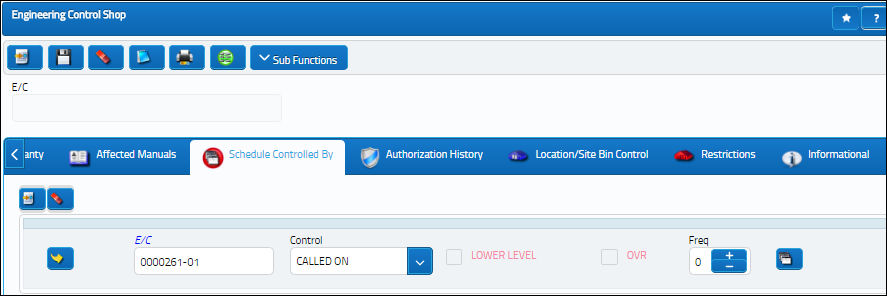
The following options/information is available in this window:
_________________________________________________________________________
Effective Date
Entered as the date from which the user requires to track time on the E/C being set up unless a Total Schedule has been defined. Once the effective date is entered and the A/C or P/N Effectivity for the E/C is applied, changing the effective date on this Tab will not change the effective dates on each individual aircraft or component that the E/C is effective to. Either the Effectivity will need to be removed and re-applied, or the effective date field will need to be changed individually in the Effectivity Override window for each tail number or component.
Note: If the effective date is greater than the current date, planning will not forecast for this E/C until the effective date has been met.
Reset Date for all Effective Items  button
Select the Reset Date button to reset the effective dates for items not previously complied with and/or not overridden. The following window will appear upon resetting the effective dates:
Repeat Number
The number of occasions the E/C will be repeated. If the Repeat Number is set to 1, the E/C is a one time only E/C and only the First Schedule is applicable. If the Repeat Number is set to 9999, the E/C will be carried out on the First Schedule 1 time and then the Repeat Schedule indefinitely.
If the Repeat Number is a specific number, such as 5, the E/C will be carried out on the First Schedule 1 time and then be repeated 4 times according to the parameters configured on the Repeat Schedule (and then terminated).
Note: If the Repeat Number is set to 1, the Redo checkbox appears:
Next E/C
This field is used to form a dependence between a phase group of E/Cs used to set up checks that will automatically follow each other. For example, if the user has four phases for the K-Check; phases K1 through K4 and each has it's own requirements. They may be set up individually and linked in chronological order using this field. The system can move from K1 to K2 automatically following completion of K1. A user may verify the Next E/C order by selecting on the Next E/C  button to the right of the field.
Once E/C K1 is complied with, the E/C K1 completion date will become the effective date for E/C K2 (the system will automatically populate the Effective Date for the aircraft tail number). The most recently complied E/Cs effective date (K1) will return to 00/00/0000 upon it's compliance. With the example of checks, the user must also remember to keep the repeat number at 9999, so the cycle will continue. To set up this functionality, the Effective Date must be set to 00/00/0000. The current E/C to be carried out will have its effective date set, which then returns to 00/00/0000 upon compliance.
Note: The Schedule Control Tab is a preferred method of creating E/C relationships and dependencies.
Note: It is important to select the the current phase of the Next E/C when deferring a defect. For additional information, refer to How to Query for the Current Phase of the Next E/C via Troubleshooting Tips of the Engineering - E/C Training Manual.
_________________________________________________________________________
Download Online Help
Print
|
©1997-2018 Trax USA Corp. All rights reserved. This manual may not be copied, photocopied, reproduced, translated, or converted to any electronic or machine-readable form, in whole or in part, without prior written approval from Trax USA Corp. |
 |