 Download Online Help
 Print
|
|
|
|
|


The system will NOT automatically combine different combinations in order to prevent wrong results. Any combination within a configuration up to the maximum number of aircraft is possible. In order to set up the different configurations, set the radio button to Capacity:
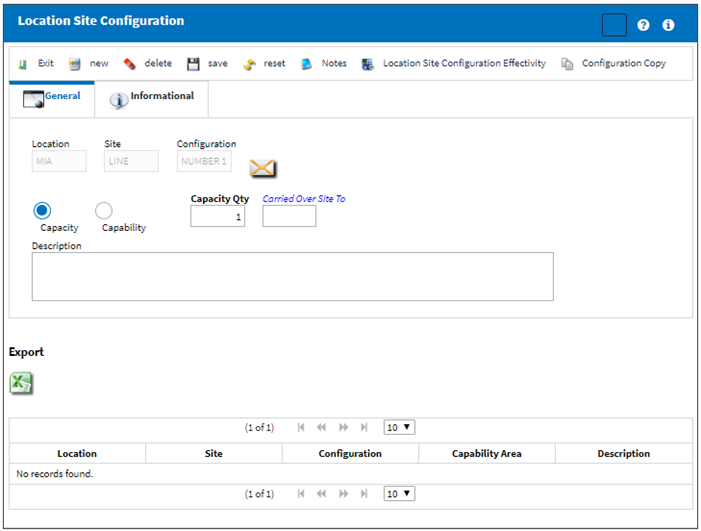
The following options/information is available in this window:
_________________________________________________________________________
Location
The Location for maintenance events, inventory stores, orders, transactions, or training events.
Site
The site where the work should be carried out (if applicable).
Configuration
The name of the configuration.
Capacity or Capability radio button
Select the Capacity or Capability radio button.
Capacity Qty
The total number of aircraft for this configuration. This will be the maximum number of aircraft that can be planned on one site according to the configuration on the next screen.
Carries Over
If the site neighbors another site, enter the bordering site.
Description
A more detailed description of the configuration.
_________________________________________________________________________
Download Online Help
Print
|
©1997-2018 Trax USA Corp. All rights reserved. This manual may not be copied, photocopied, reproduced, translated, or converted to any electronic or machine-readable form, in whole or in part, without prior written approval from Trax USA Corp. |
 |