 Download Online Help
 Print
|
|
|
|
|


Task Card Print
The Task Card Print allows users to search for general Task Card-related prints.
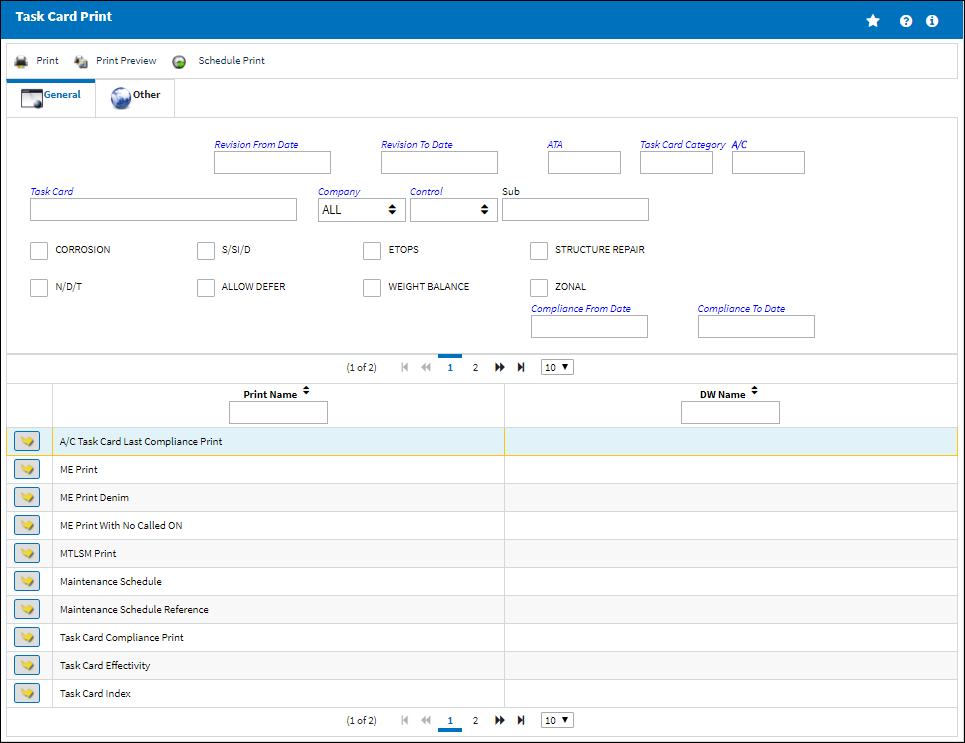
Note: These are customized prints. Print layouts and options may vary per operator.
The following options/information is available in this window:
_________________________________________________________________________
A/C Type/Series
The aircraft Type and Series / Fleet assignment.
Revision From Date
The date the revision for the Task Card began.
Revision To Date
The date the revision for the Task Card ended.
ATA
The ATA Chapter related to the Task Card.
Task Card Category
The Task Card's Category, as defined in Task Card Category transaction code via the Engineering Transaction Codes. Task Card Authorization Steps are defined in System Transaction Codes by Task Card Category.
A/C
The individual Aircraft tail number.
EC Status drop down
The status of the E/C.
- All
- Open
- Cancel
- Terminated
- Pending
- N/A
- Applicable/Not Embody
Task Card
The Task Card / Job Card that details the scheduled maintenance work.
Company
The Company used to auto generate the Task Card reference. When this field is populated, only those aircraft with the same G/L Company via the A/C Master, Other 1 tab can be made effective to the T/C.
Note: For more information, refer to the Multi Company Functionality.
Control drop down
Select from the drop down if the Task Card is to be utilized for P/Ns or A/C. If selecting the A/C Control, select the A/C Type/Series to auto generate the Task Card reference for naming purposes only.
Sub
The Sub is used to auto generate the Task Card reference. This is a free text field used for naming purposes only.
Corrosion checkbox
Indicates that this is a Corrosion Card. If this box is checked, the appropriately related field will appear on the Work Order.
S/S/I/D checkbox
Indicates that this is a Supplemental Structural Inspection Detail Card.
ETOPS checkbox
Indicates that the Task Card / Non-Routine Task Card is relevant to ETOPS operations.
Structure Repair checkbox
Select this checkbox to query for Task Cards that apply to structural repairs.
N/D/T checkbox
Indicates that this is a Non-Destructive Testing Task Card.
Allow Defer checkbox
Indicates that this card is allowed to be deferred.
Weight and Balance checkbox
Select this checkbox if this Task Card is for a Weight and Balance Check on the aircraft. If selected, the Weight and Balance button appears.
Zonal checkbox
Indicates that the word “ZONAL” will be printed on Task Cards / Non-Routine Task Cards.
_________________________________________________________________________
Download Online Help
Print
|
©1997-2018 Trax USA Corp. All rights reserved. This manual may not be copied, photocopied, reproduced, translated, or converted to any electronic or machine-readable form, in whole or in part, without prior written approval from Trax USA Corp. |
 |