
 Share
Share
 Print
Print
|
|
|
|
|


Man Hours Schedule
From this window users can generate specific Man Hour Schedule reports. These reports will then be available in the Prints queue window.
The system displays the following window. Select the applicable Print report and enter any of the below search criteria to query for a desired Man Hour Schedule Print.
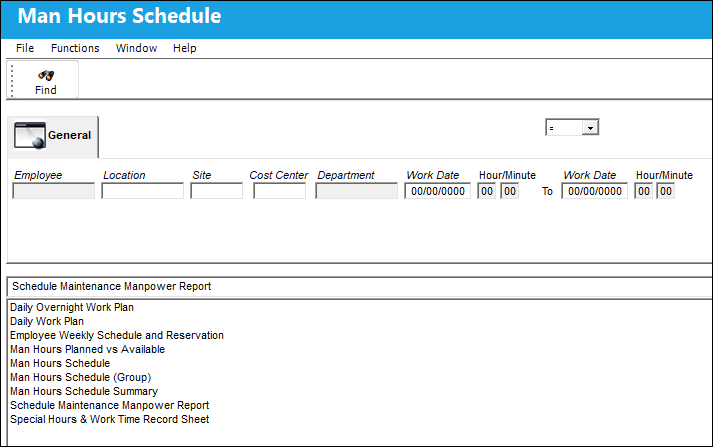
The following information/options are available in this window:
_____________________________________________________________________________________
Employee
The Employee number or code representing the employee.
Location
The Location for maintenance events, inventory stores, orders, transactions, or training events.
Site
The Site where the work is to be carried out (if applicable).
Cost Center
The Cost Center associated with the Employee. When an Employee with a Cost Center is assigned to W/O Task Card manual labor, the W/O Actuals for that labor will contain the specified Cost Center information.
Department
The employee's normal department.
Work Date
Day of the Week and date of the scheduled work day selected.
Hour/Minute
The time of day in hours and minutes for the schedule work day selected.
Skill
The Skill required by employees to perform the task.
Group
The Employee shift group reference (i.e., Morning Shift).
Defect checkbox
Select this checkbox to filter by Defect Reports.
E/C checkbox
Select this checkbox to filter by E/C.
_____________________________________________________________________________________
Share
Print
|
©1997-2026 Trax USA Corp. All rights reserved. This manual may not be copied, photocopied, reproduced, translated, or converted to any electronic or machine-readable form, in whole or in part, without prior written approval from Trax USA Corp. |
 |