 Download Online Help
 Print
|
|
|
|
|


TraxDoc Authorization Document Lock Manager
The TraxDoc Authorization Document Lock Manager is used to find TraxDoc Documents that are being revised or awaiting Authorization and that have one or more of the files in that TraxDoc Document locked by Users. For TraxDoc Documents that have not been released for authorization the user must go to TraxDoc Document Lock Manager.
Files in a TraxDoc Document are locked when they are opened by a user. A file will be unlocked once the user closes the file. This prevents users from opening files simultaneously and overwriting each others changes.
The system will not allow you to authorize a TraxDoc Document if one of its files is open (i.e. locked). After finding the appropriate record, accessing it will open the TraxDoc Document Control window.
Records can be queried through the following:
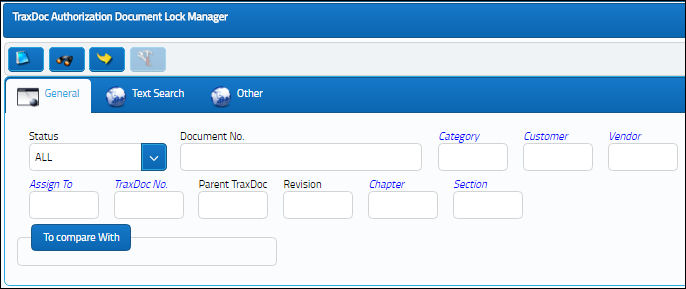
Additional information can be entered to query a record through the TraxDoc Authorization Document Lock Manager, Text Search and Other tabs.
The following buttons are available for additional functionality:
- Notes button
- Utilities button
Download Online Help
Print
|
©1997-2018 Trax USA Corp. All rights reserved. This manual may not be copied, photocopied, reproduced, translated, or converted to any electronic or machine-readable form, in whole or in part, without prior written approval from Trax USA Corp. |
 |