 Download Online Help
 Print
|
|
|
|
|


TraxDoc Authorization Groups, General Tab
Select the New  button to create a new record. Select the Authorization Group and the User to add to that group and click Save. This method adds one user at a time to an authorization group.
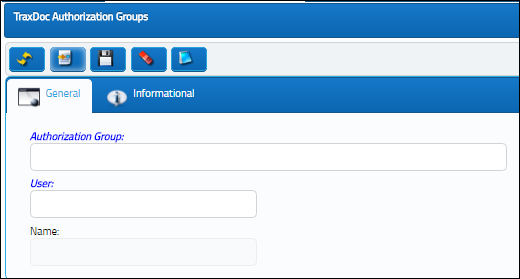
The following options/information is available in this window:
_________________________________________________________________________
Authorization Group
Select an Authorization Group that has been created through the TraxDoc Authorization Groups System Transaction Code.
User
Select a User to be added to the Authorization Group.
Name
The name of the user, as entered in the Employee Master, will appear.
_________________________________________________________________________
Download Online Help
Print
|
©1997-2018 Trax USA Corp. All rights reserved. This manual may not be copied, photocopied, reproduced, translated, or converted to any electronic or machine-readable form, in whole or in part, without prior written approval from Trax USA Corp. |
 |