
 Share
Share
 Print
Print
|
|
|
|
|


The Schedule Job tab is used to schedule a planning query set to be run at a later time.
Enter all information to schedule the future job, as displayed below. Be sure that the Planned Start Date (beginning and end) are entered. For more information, refer to the A/C Planning (Detail View), General Tab. At the bottom of the window, the Schedule Job options are available.
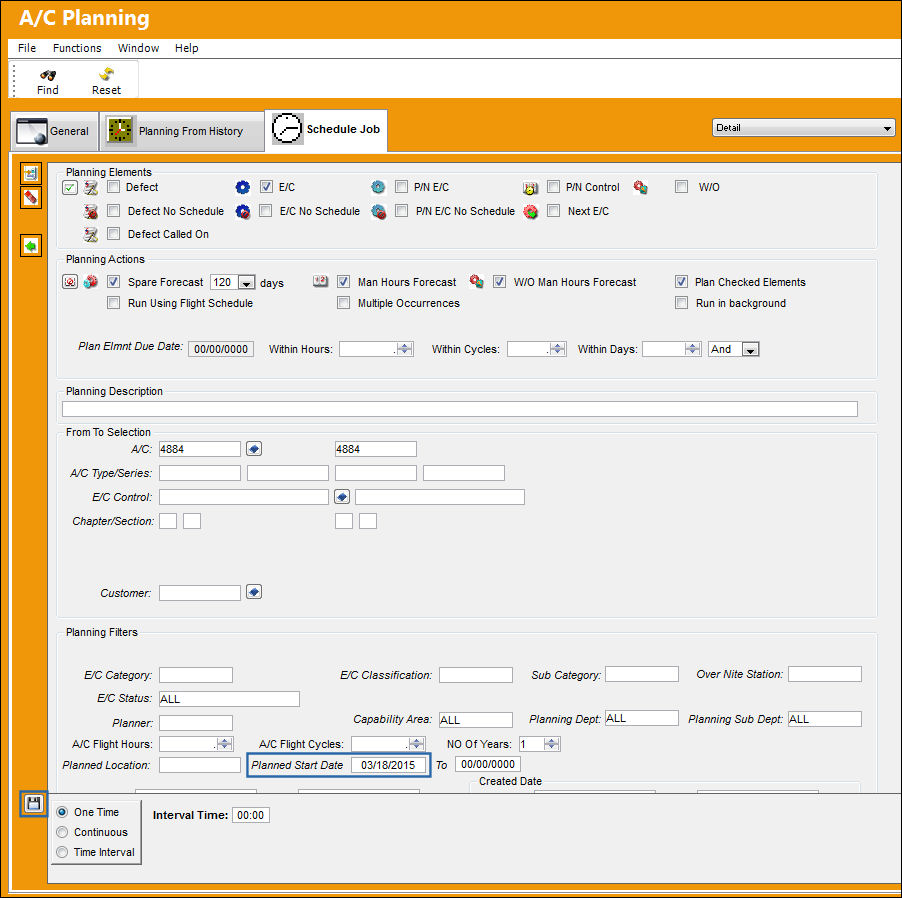
The following information/options are available in this window:
_____________________________________________________________________________________
One Time radio button
Select this radio button if the planning job is to occur only once. For additional information, refer to One Time Scheduled Job.
Interval Time - Select the time that the planning job is to occur at.
Continuous radio button
Select this radio button if the planning job is to occur more than once. For additional information, refer to the Continuous Scheduled Job.
Interval Time - Select the time that the planning job is to occur at.
Interval - Select the day(s) the planning job is/are to occur on.
Time Interval radio button
Select this radio button if the planning job is to occur at a specified time interval. For additional information, refer to the Time Interval Scheduled Job.
Run Job Every - Select the frequency of time (minute/hour) that the planning job is to occur.
_____________________________________________________________________________________
When the user exits this screen, the job is in a 'Scheduled' State.
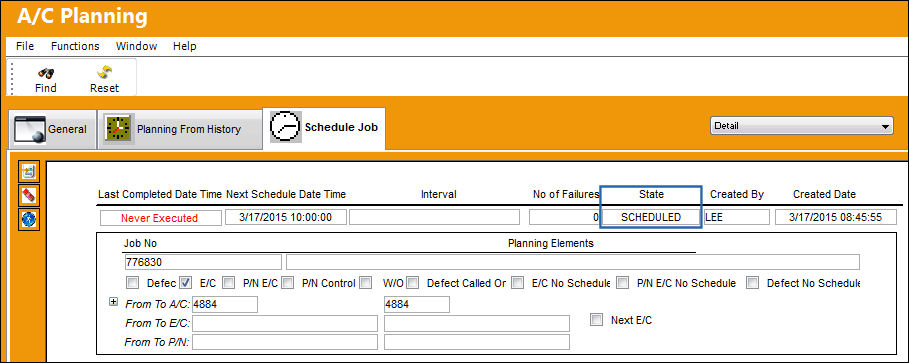
For additional information on each type of Schedule Job, refer to the A/C Planning Query, Schedule Job Options.
Share
Print
|
©1997-2026 Trax USA Corp. All rights reserved. This manual may not be copied, photocopied, reproduced, translated, or converted to any electronic or machine-readable form, in whole or in part, without prior written approval from Trax USA Corp. |
 |