
 Share
Share
 Print
Print
|
|
|
|
|


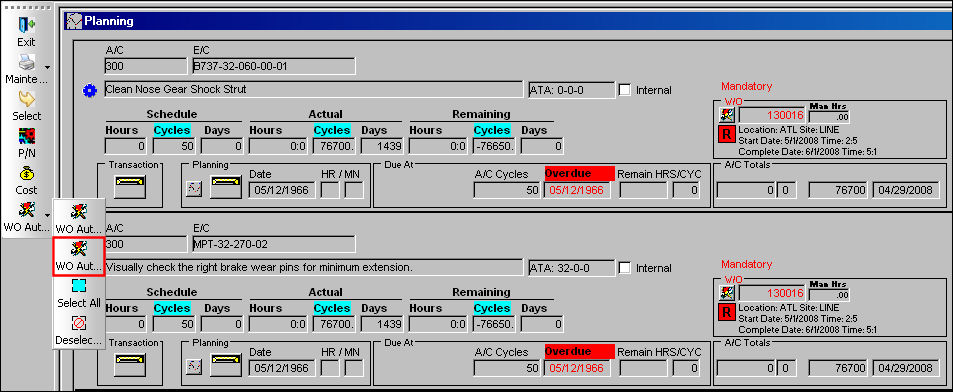
The W/O Auto Exist  button allows the user to add a maintenance event to an already existing Work Order.
From the Planning window, select the W/O Auto Exist button. Be sure the Hand  pointer is pointing towards the desired record and the Select checkbox is selected.
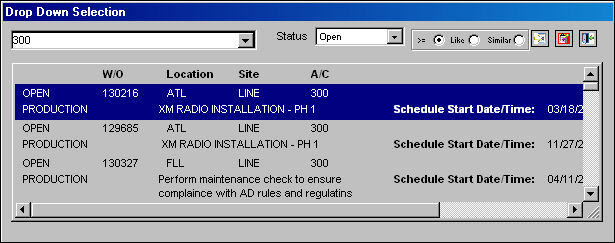
The following Drop Down Selection window appears. Select the desired Work Order and double-click.
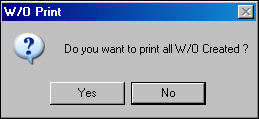
Upon assigning the item to a Work Order, the W/O Print Prompt appears. Select Yes to print the Work Order or No not to.
If there is a conflict with the selected item, a warning prompt will appear (i.e. Location/Site conflicts, E/C exists on Open/Completed W/O, Task Card is not effective, etc.).
For warnings associated to E/Cs, refer to E/C Control Warnings via the Production Training manual.
Share
Print
|
©1997-2026 Trax USA Corp. All rights reserved. This manual may not be copied, photocopied, reproduced, translated, or converted to any electronic or machine-readable form, in whole or in part, without prior written approval from Trax USA Corp. |
 |