 Download Online Help
 Print
|
|
|
|
|


MEL Master Print
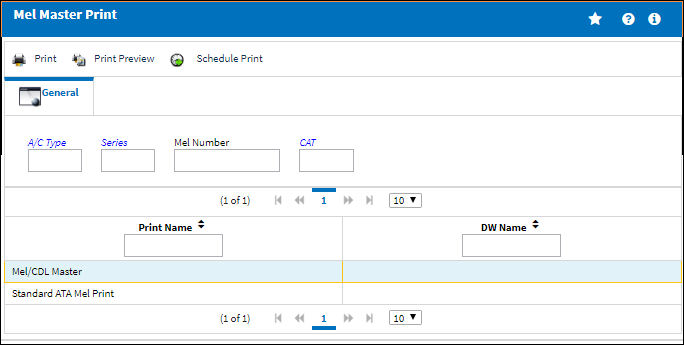
This window allows users to print reports for MEL Master-specific information.
Note: These are customized prints. Print layouts and options may vary per operator.
The following options/information is available in this window:
_________________________________________________________________________
A/C Type
The aircraft type. The MEL entered in this window will only be applicable to this specific fleet.
Series
The aircraft series. The MEL entered in this window will only be applicable to this specific fleet.
Mel Number
The Minimum Equipment List number. Specify either MEL, CDL, or GMM with the appropriate radio buttons. The MEL Number field has a 20 character limit
CAT
The MEL/CDL Category code that is linked to the MEL. This code is automatically populated in the Defect Report when the MEL is used to defer the Defect. This transaction code can contain a default First Schedule for the deferal (refer to MEL/CDL First Schedule below)
_________________________________________________________________________
Download Online Help
Print
|
©1997-2018 Trax USA Corp. All rights reserved. This manual may not be copied, photocopied, reproduced, translated, or converted to any electronic or machine-readable form, in whole or in part, without prior written approval from Trax USA Corp. |
 |