
 Share
Share
 Print
Print
|
|
|
|
|


Select a location then select the Reservation Routing  button. The system displays the following:
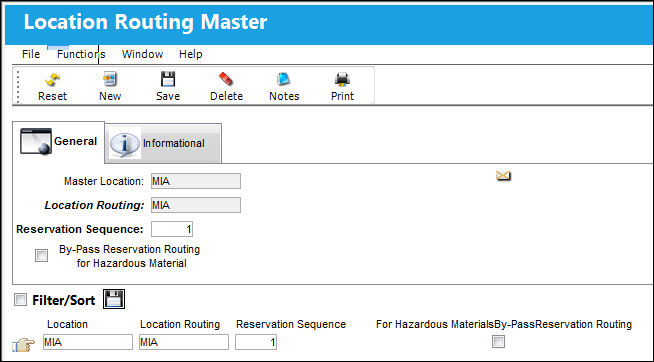
The following information/options are available in this window:
_____________________________________________________________________________________
Master Location
Master Location code.
Location Routing
Location Routing code.
Reservation Sequence
The numerical value of the reservation sequence.
By-Pass Reservation Routing for Hazardous Material checkbox
When selected, items in the P/N Master with the Hazardous Material checkbox selected will not be routed or reserved between this location combination (the master location and the routing location). This location will be by-passed and it will go on to the next location as set up in this window.
_____________________________________________________________________________________
A logical Reservation Sequence must be defined if there is more than one location in the sequence. If items are not available in stock in any of the locations, the system can produce back Orders (requisitions) for these items. A report is also produced detailing the shortages.
Share
Print
|
©1997-2026 Trax USA Corp. All rights reserved. This manual may not be copied, photocopied, reproduced, translated, or converted to any electronic or machine-readable form, in whole or in part, without prior written approval from Trax USA Corp. |
 |