
 Share
Share
 Print
Print
|
|
|
|
|


The Transfer E/C  button is used to transfer Engineering Controls to another Shop Work Order. E/Cs may need to be transfered from one Shop W/O to another due to scheduling conflicts or other issues that may affect the completion of the required tasks.
From the Shop W/O Engineering Control window, select one or more E/Cs to be transferred by selecting the Transfer checkbox. Then click the Transfer E/C button.
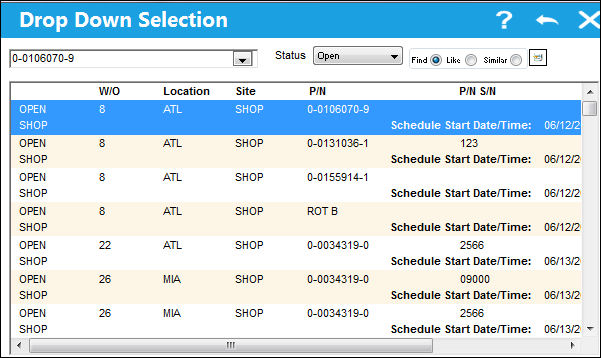
The following drop down menu appears. Select a different Shop Work Order that this E/C will be transfered to. Only those Shop Work Orders that the specific E/C can be transferred to will appear in the drop down selection window.
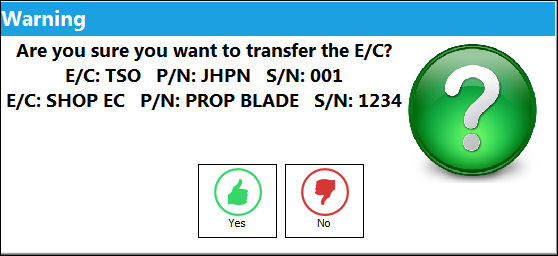
The following informational window pops up informing which E/Cs will be transfered.
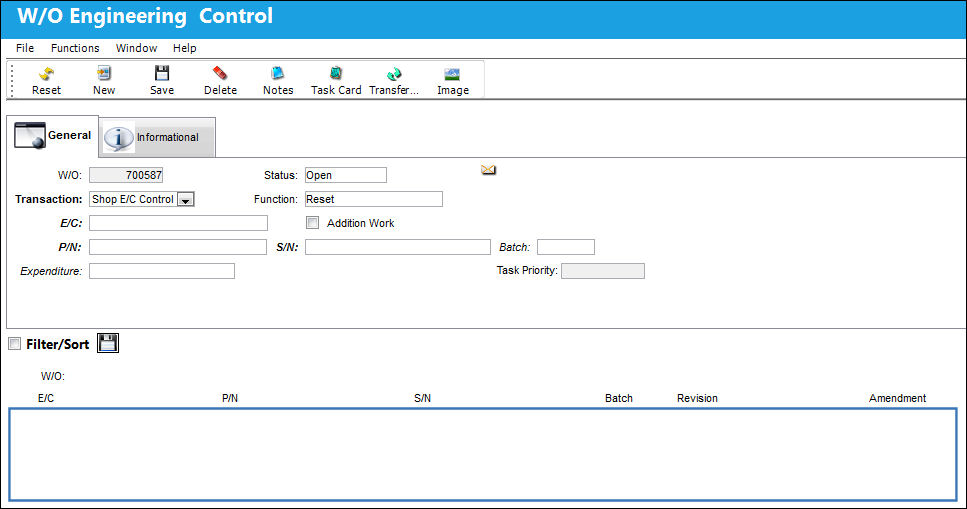
The selected E/Cs are then removed from this Shop W/O.
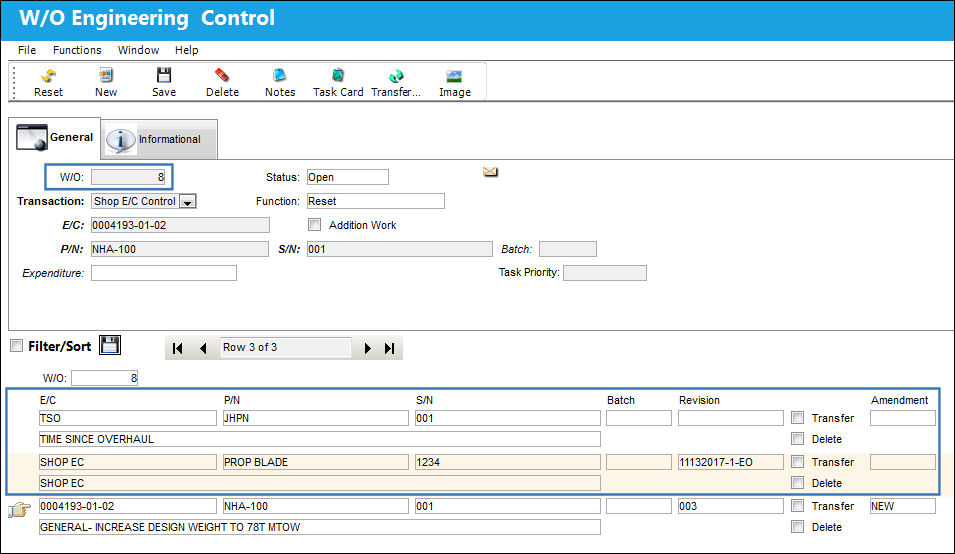
Notice that the selected E/Cs have been transferred to the selected Shop Work Order.
Share
Print
|
©1997-2026 Trax USA Corp. All rights reserved. This manual may not be copied, photocopied, reproduced, translated, or converted to any electronic or machine-readable form, in whole or in part, without prior written approval from Trax USA Corp. |
 |