
 Share
Share
 Print
Print
|
|
|
|
|


GSE P/N Master, Optional Tab
The Optional Tab is used to assist in identifying if this part is Taxable. By checking the Taxable Checkbox the Tax will be calculated based upon the percentage added in Settings/Update/Location/Tax Info Tab and will show the calculated amount in the Order Detail Window. More information will be provided in the Orders section of the GSE Manual.
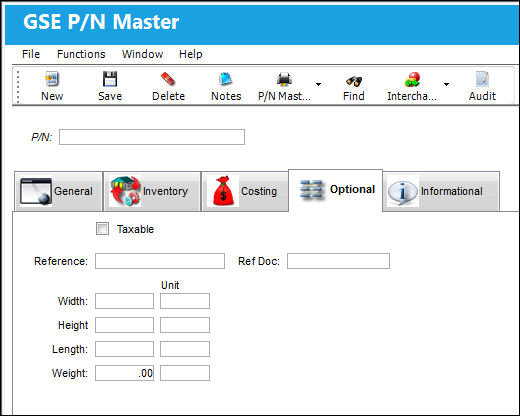
The following information/options are available in this window:
_____________________________________________________________________________________
Taxable checkbox
Check this to have taxes applied to this part. The percentages that will be applied are set up in Settings/ Update/ Location. Then, when a new Order is created, the taxes for this part will automatically be calculated.
Reference
You may note any reference information here.
Ref Doc
You may note a document to be referenced here.
Width
Enter the appropriate dimension information regarding this part. Unit information may also be entered.
Height
Enter the appropriate dimension information regarding this part. Unit information may also be entered.
Length
Enter the appropriate dimension information regarding this part. Unit information may also be entered.
Weight
Enter the appropriate dimension information regarding this part. Unit information may also be entered.
Unit
The unit of measure.
_____________________________________________________________________________________
Share
Print
|
©1997-2026 Trax USA Corp. All rights reserved. This manual may not be copied, photocopied, reproduced, translated, or converted to any electronic or machine-readable form, in whole or in part, without prior written approval from Trax USA Corp. |
 |