 Download Online Help
 Print
|
|
|
|
|


Open View, Orders Explorer
The Open view allows the user to query for all open orders that pertain to a specified P/N.
Using the P/N field hyperlink, find and select the P/N from the drop down selection menu.
Once the P/N field is populated, select the Expand  button by Open and all orders in Open status that are associated with the specified P/N are shown.
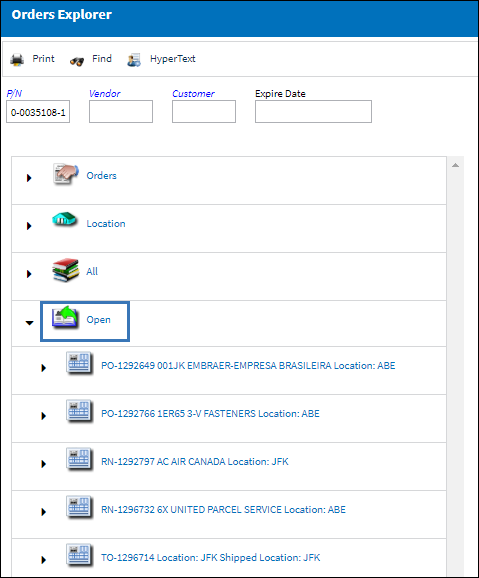
Expand the Order to view the Order lines. Select on an order line and the Select button appears.
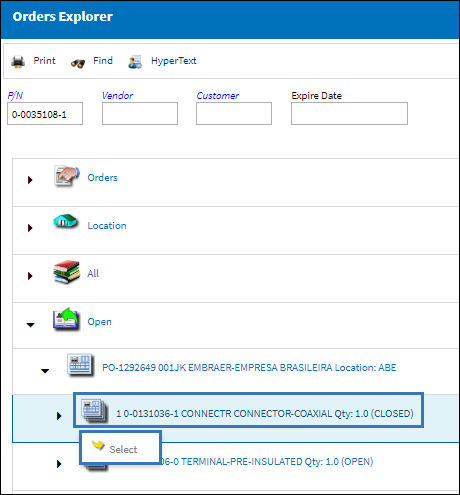
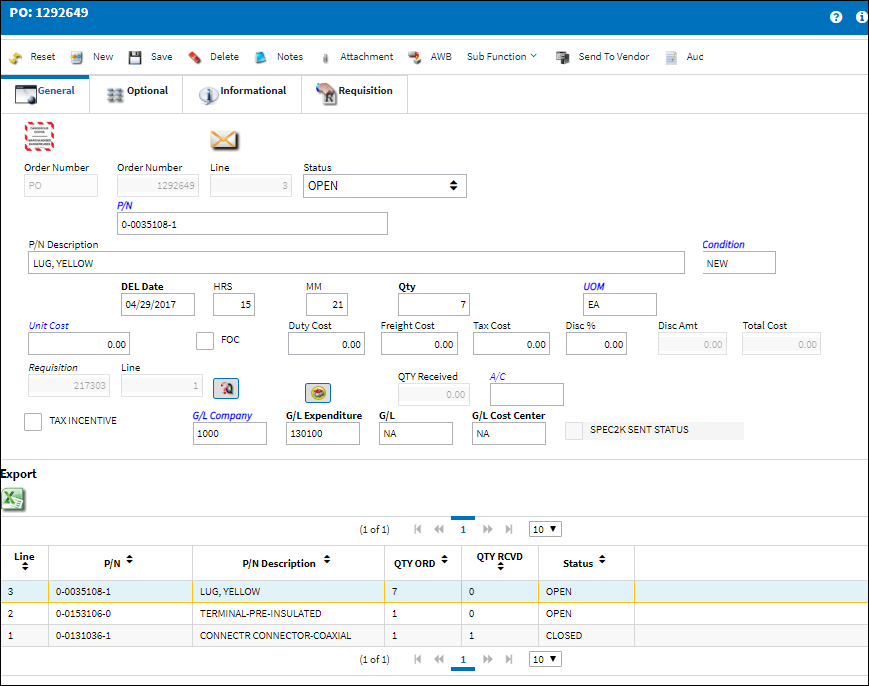
Select into the order line and the applicable Order detail window is displayed.
The Order line details can also be viewed by opening the Order line detail further; select on the details under the Order line and the Select button appears.
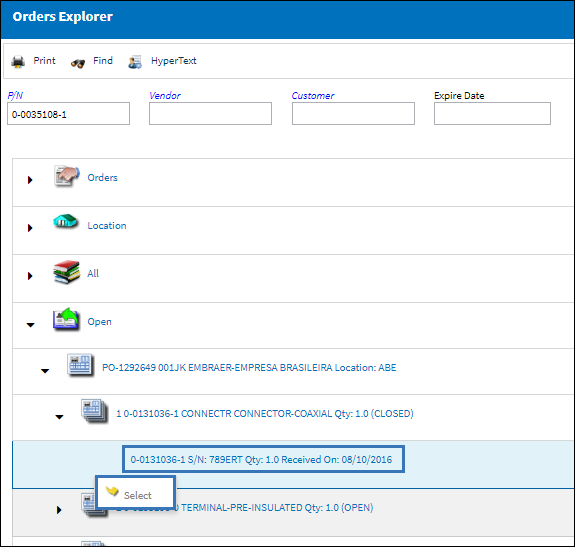
Select into the order line and the line detail is displayed.
Download Online Help
Print
|
©1997-2018 Trax USA Corp. All rights reserved. This manual may not be copied, photocopied, reproduced, translated, or converted to any electronic or machine-readable form, in whole or in part, without prior written approval from Trax USA Corp. |
 |