
 Share
Share
 Print
Print
|
|
|
|
|


Verifying the Status of Each Audit Step
To verify the status of each Step, you can run the Audit Detail. Go to QA/Print/Audit Requirement. See the section ‘Determine Which Audits Are Due – Quality Assurance/Print/Audit Requirement/Reports’ section of this manual for additional information regarding running reports.
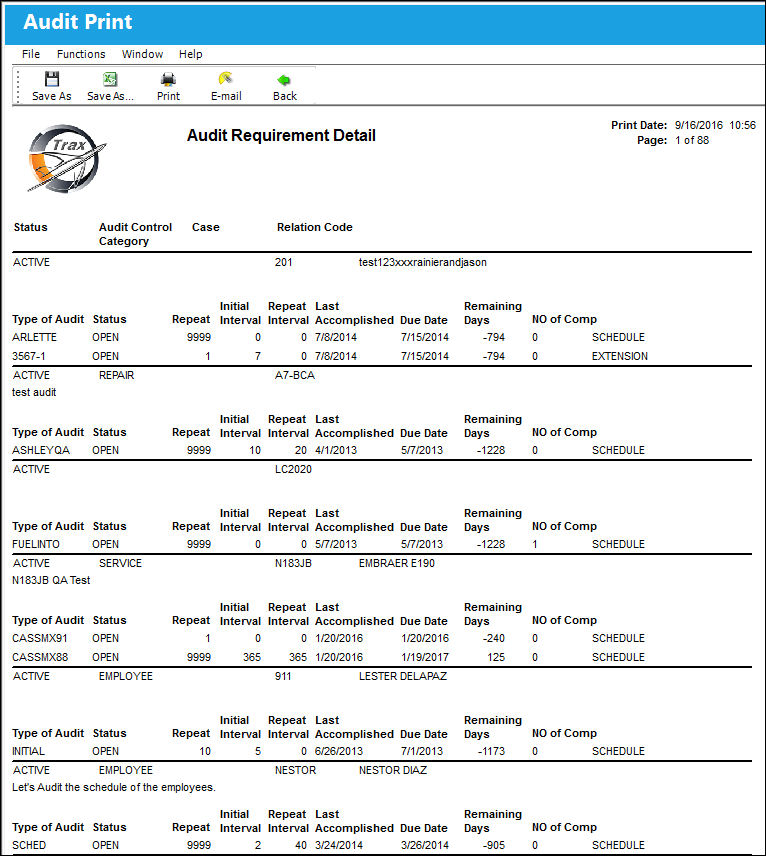
The Finding extension is automatically allocated a reference number. The number is composed of the number and extension number (which is sequential) separated by a hyphen. For example the number is “1042-3." “1042” represents the Audit Log number, and “- 3” represents the Step number of the Audit that contains a Finding Extension. The Step must be re-checked within 3 days as indicated in the Remaining Days column.
Share
Print
|
©1997-2026 Trax USA Corp. All rights reserved. This manual may not be copied, photocopied, reproduced, translated, or converted to any electronic or machine-readable form, in whole or in part, without prior written approval from Trax USA Corp. |
 |