
 Share
Share
 Print
Print
|
|
|
|
|


The School/Trainer Tab allows you to specify the person/entity who will conduct the class. This may be either an internal or external source (as defined via the Internal or External radio button on the Training Class Enrollment, General Tab).
If the Training Course was set up as an internal Training Class, you will have the option of selecting from internal sources (employees). The Training Instructor Checkbox (Settings/Update/Employee/Optional Tab) must be checked on the employees record so that they will appear in the list to choose from. If external, the choice list will be derived from Settings/Explorer/System Transaction Code/Training/School.
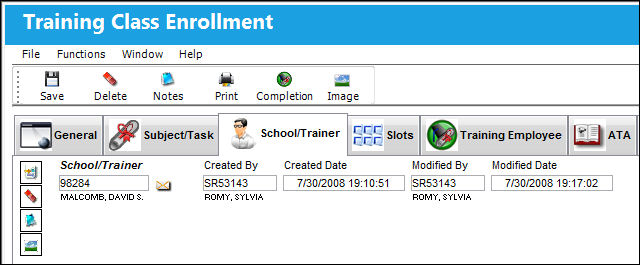
The following information/options are available in this window:
_____________________________________________________________________________________
School/Trainer
Right click in the School/Trainer field to choose a conductor.
_____________________________________________________________________________________
The Notes  and Image
  buttons are available within this window for additional functionality.
Share
Print
|
©1997-2026 Trax USA Corp. All rights reserved. This manual may not be copied, photocopied, reproduced, translated, or converted to any electronic or machine-readable form, in whole or in part, without prior written approval from Trax USA Corp. |
 |