
 Share
Share
 Print
Print
|
|
|
|
|


Training Completion
After searching for a course and selecting into the record, all Subjects/Tasks associated with the class will appear.
As each Subject/Task’s status is changed to ‘Completed’, that Subject/Task will be removed from this list and sent to the Training Course Completion Approval queue to await a final grade (Pass/Fail) by the instructor or authorized personnel. Only Subjects/Tasks that hold a Completion status of ‘Pending’ or are ‘In Progress’ will remain on this list.
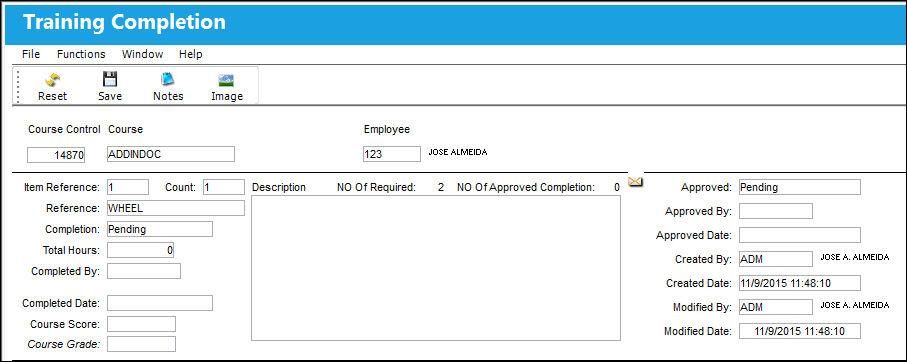
The following information/options are available in this window:
_____________________________________________________________________________________
Completion
Choose from Completed, In Progress, or Pending.
Total Hours
The total hours completed. This number may be a portion of the total hours required for that particular Subject/Task if the Completion status is ‘Pending.'
Each individual Subject/Task must be completed and have the Completion status changed to ‘Completed’ individually.
_____________________________________________________________________________________
The following buttons offer additional functionality:
Share
Print
|
©1997-2026 Trax USA Corp. All rights reserved. This manual may not be copied, photocopied, reproduced, translated, or converted to any electronic or machine-readable form, in whole or in part, without prior written approval from Trax USA Corp. |
 |