
 Share
Share
 Print
Print
|
|
|
|
|


Select a transaction and click the P/N  button to view Inventory Transaction Detail, which is further explained in the Inventory Training Manual. The system displays the following:
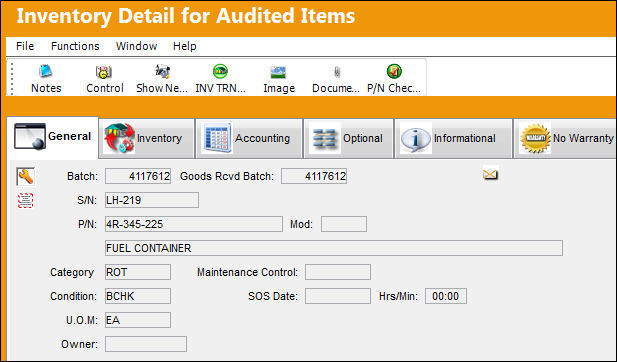
The following buttons are available in this particular window:
- Notes Button
- Control Button
- N/L/A Button
- N/L/K Button
- NHA PN Button
- Inventory Transaction All Button
- Image Button
- Document Control Button
- Reliability Prints Button
- P/N Check List Button
Share
Print
|
©1997-2026 Trax USA Corp. All rights reserved. This manual may not be copied, photocopied, reproduced, translated, or converted to any electronic or machine-readable form, in whole or in part, without prior written approval from Trax USA Corp. |
 |