
 Share
Share
 Print
Print
|
|
|
|
|


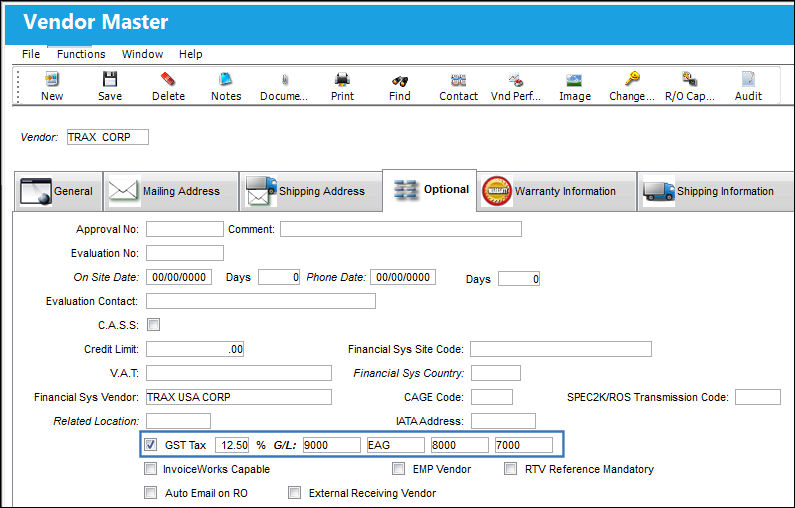
The Goods and Services Tax (GST) checkbox is used to automatically apply a tax on orders whenever a certain Vendor is involved. When selected in the Vendor Master, Optional tab, two mandatory fields will appear. Enter the percentage to be applied to the order as a tax then enter the G/L Account that will be posted against the General Ledger. The GST information will be reflected through Service Orders, Purchase Orders, Exchange Orders, Repair Orders and Invoices.
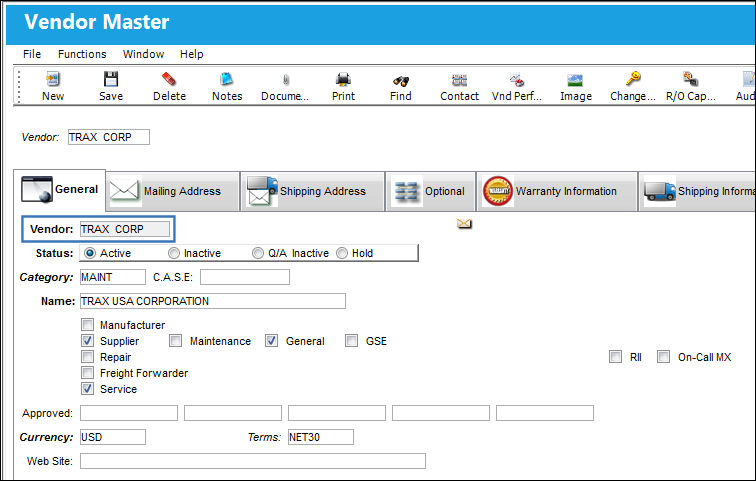
For example, create an order for the above Vendor (in this case, a Purchase Order).
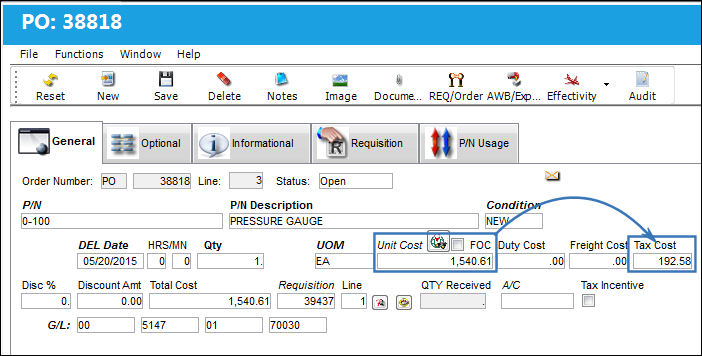
From the Purchase Order detail window, when the Unit Cost is entered the Tax Cost will be automatically populated upon saving. In this example, a Tax Cost of 192.58 is derived from a GST percentage of 12.5% multiplied by a Unit Cost of 1540.61. The Total Cost being a sum of 1733.19.
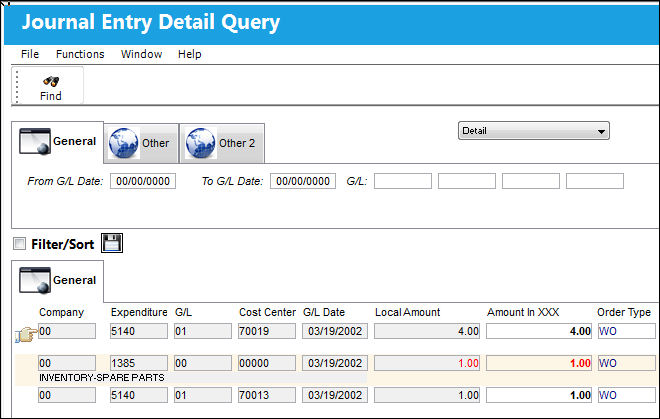
After the order is received thus completing the transaction, the impact of the Goods and Services Tax can be seen via the G/L Interface/Query/Journal Entries Detail Query window. Notice the G/L Account charged against the order is the same account entered in the GST G/L Account field above.
Share
Print
|
©1997-2026 Trax USA Corp. All rights reserved. This manual may not be copied, photocopied, reproduced, translated, or converted to any electronic or machine-readable form, in whole or in part, without prior written approval from Trax USA Corp. |
 |