
 Share
Share
 Print
Print
|
|
|
|
|


The Bin  button is used to transfer a the contents of one Bin from its current Location to another Location.
When selected, the 'Warehouse Transfer a Bin' pop-up window appears. Specify which Bin will be sent to the new Location and the Delivery Date.
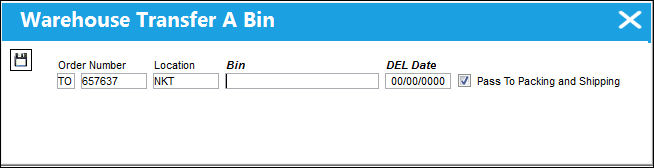
Populate all mandatory fields and select the Save  button.
The system re-directs the user back to the Transfer Order Detail, General tab. Exit the window. The One Step Transfer print appears.
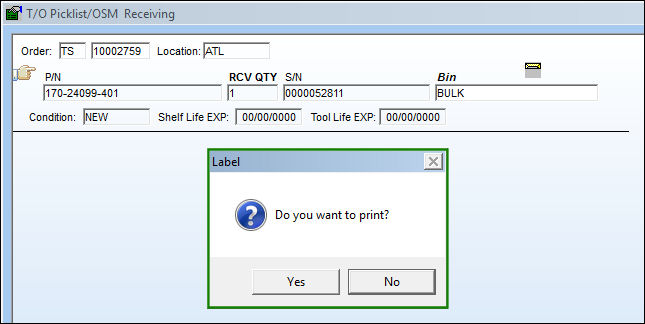
The user is then taken to the following window where they have the option to print the Transfer Order labels. Since an entire Bin was transferred from one Bin to another, there is no need to individually receive any parts. This is done automatically.
Share
Print
|
©1997-2026 Trax USA Corp. All rights reserved. This manual may not be copied, photocopied, reproduced, translated, or converted to any electronic or machine-readable form, in whole or in part, without prior written approval from Trax USA Corp. |
 |