
 Share
Share
 Print
Print
|
|
|
|
|


Group Number Button
The Group Number  button allows user to add a Group Number(s) to a selected Group. The Group Number acts as a Sub-Level Category.
TRAX displays the following window. Select the New  button. Populate all mandatory and desired fields. Select the Save
  button.
The Group Number is created as shown below:
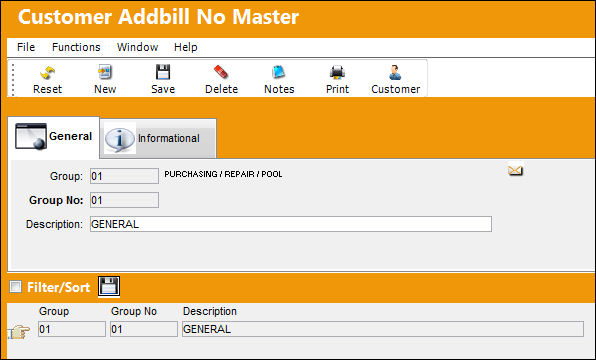
There are no restrictions regarding the number of Group Numbers that can be created for each Customer Addbill record.
The following information/options are available in this window:
_____________________________________________________________________________________
Group
The Group reference. This is a free text field.
Group Number
The Group Number reference. This is a free text field.
Description
The description of the Group.
_____________________________________________________________________________________
The following tab and buttons offer additional functionality:
- Customer Addbill Number Master, Informational Tab
- Notes Button
- Customer Button
Share
Print
|
©1997-2026 Trax USA Corp. All rights reserved. This manual may not be copied, photocopied, reproduced, translated, or converted to any electronic or machine-readable form, in whole or in part, without prior written approval from Trax USA Corp. |
 |