
 Share
Share
 Print
Print
|
|
|
|
|


Enter APU Reading
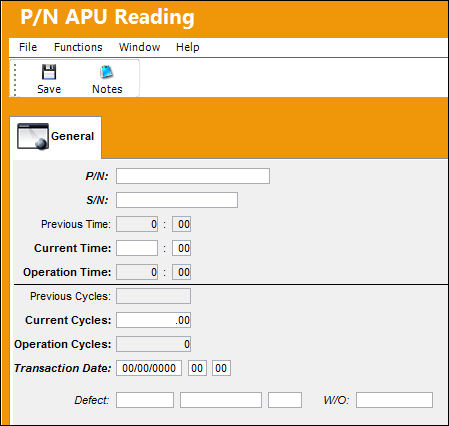
Complete all required fields and any additional fields desired. (See P/N APU Reading page for field descriptions). Click on the Save  button. TRAX displays the following screen:
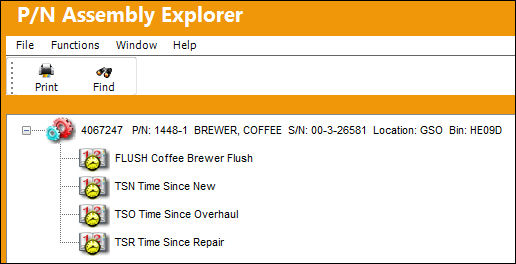
Notice the Time Control appears in the list of the P/N Assembly Explorer. Select into the item to view the details of the Time Control.
You have the option of printing (Print  button) the screen for the P/N Assembly Explorer or the P/N Inventory Control.
Share
Print
|
©1997-2026 Trax USA Corp. All rights reserved. This manual may not be copied, photocopied, reproduced, translated, or converted to any electronic or machine-readable form, in whole or in part, without prior written approval from Trax USA Corp. |
 |